
Bundle BuilderUsing the app
Upsells
Upselling in e-commerce refers to the strategy of encouraging customers to purchase a higher-end, often more expensive, version of the item they’re considering or to add additional features or services to increase the sale’s value.
This is how the upsell pop-up looks on on the front-end:
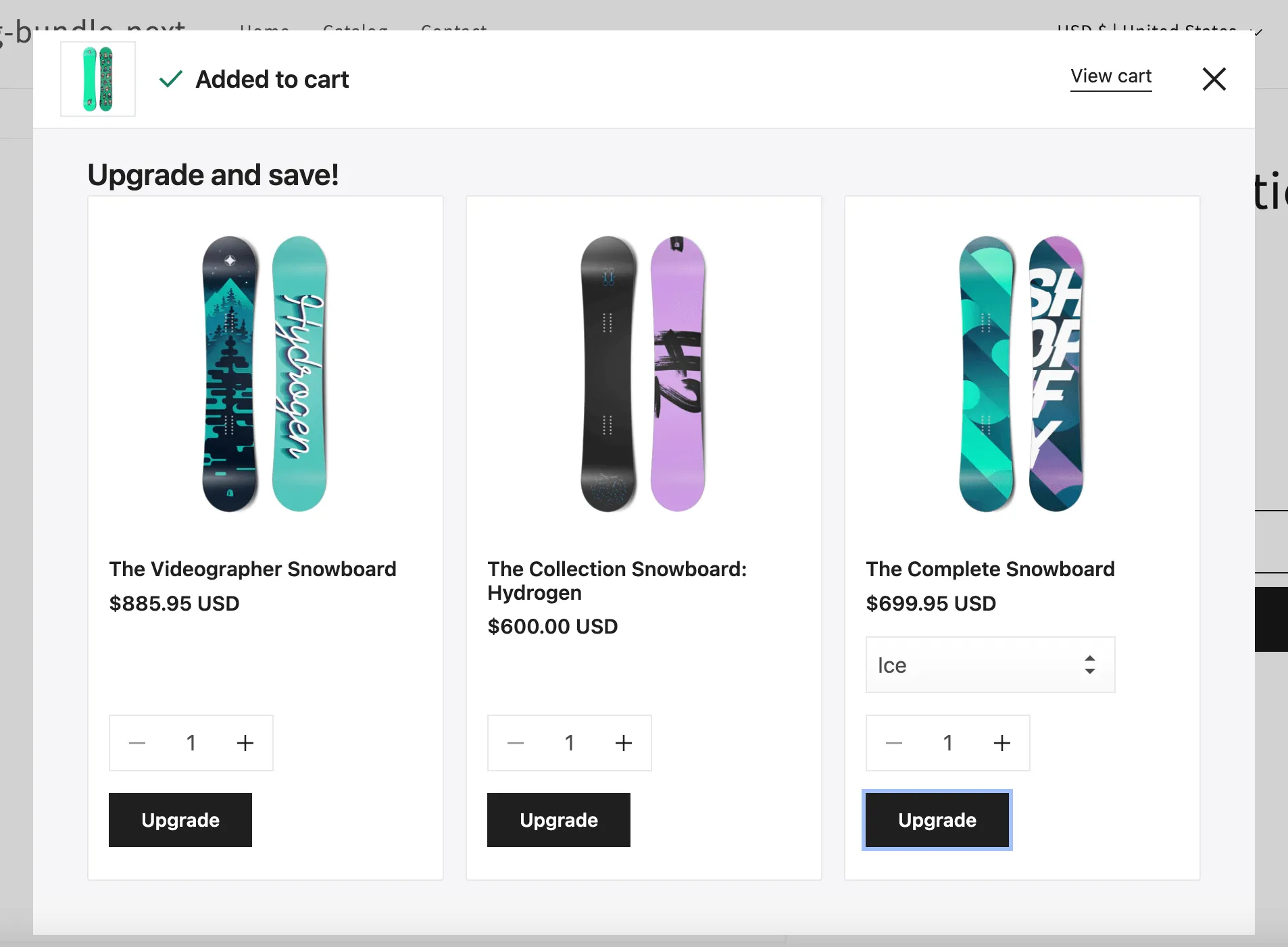
If a customer clicks Upgrade button, the new product will replace the main (trigger) product.
To create an upsell offer click the Create offer button and choose Upsells**.**
Offer name
Section titled “Offer name”Internal name of your offer not visible for your customers.
Products
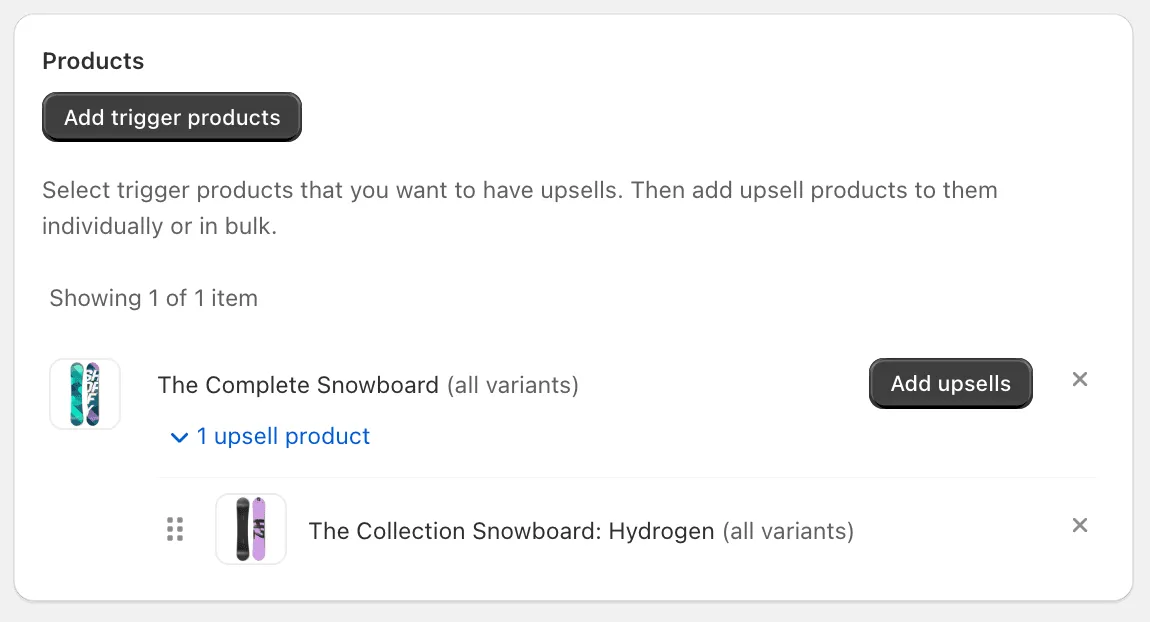
Section titled “Products”Here you can choose the trigger products and the upsells products, which will be shown after a customer adds the trigger product to the cart.
Customize offer
Section titled “Customize offer”To change the title and the description of the bundle offer block on the storefront, switch to Translations tab within the offer. See more details in the Translations section.
Active dates
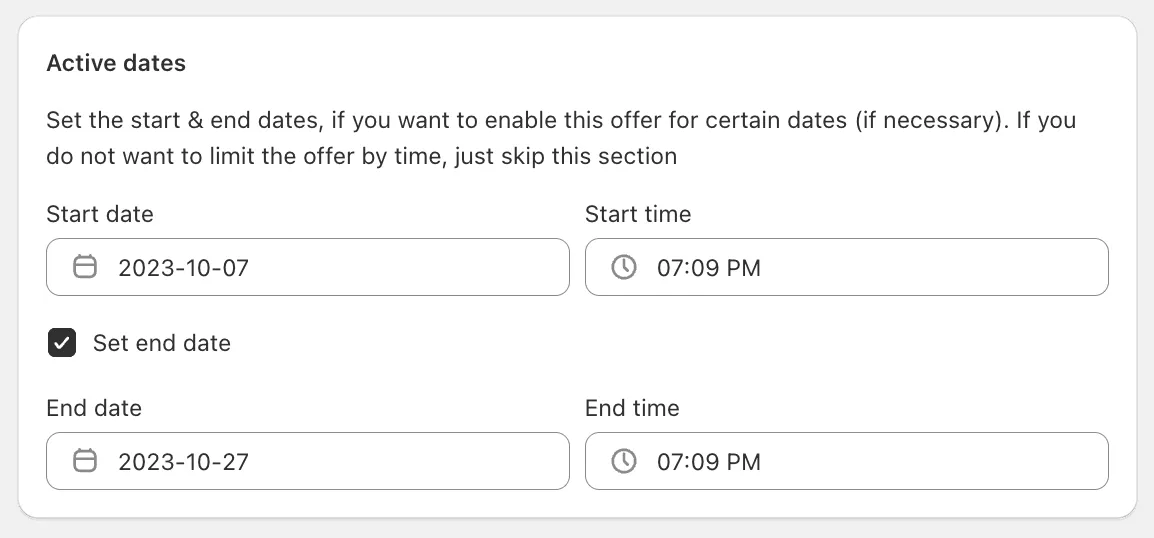
Section titled “Active dates”Here you can set the necessary start/end dates. By default the start date is set to the current date. These settings might be useful if you need to create time-limited offer or to schedule the offer for future dates.
Settings
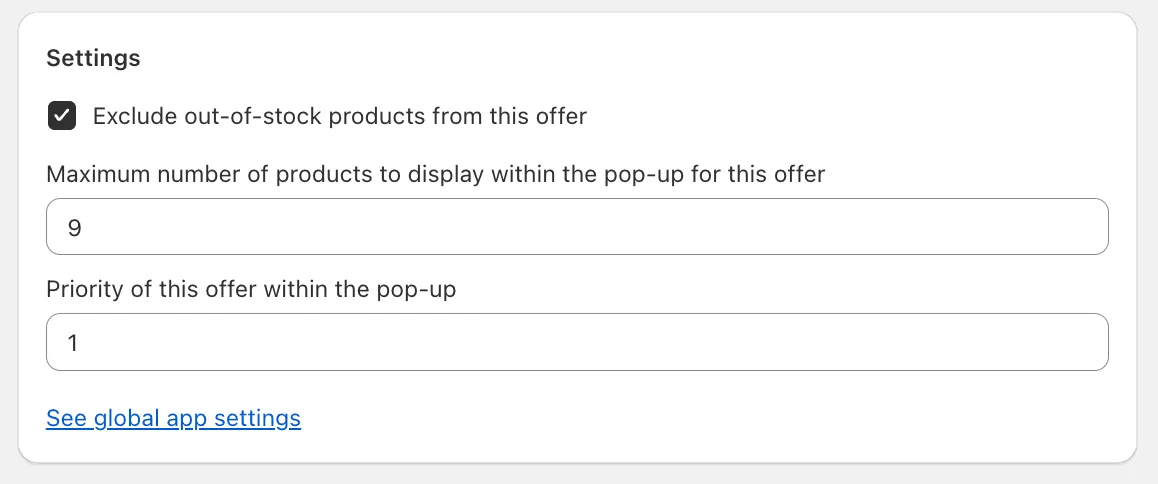
Section titled “Settings”This section allows you to adjust the configuration of the offer.
Summary
Section titled “Summary”You can see here all details of the current upsell offer along with its performance over the past 30 days.