Bundle BuilderUsing the app
Understanding the types of offers
The MW Bundle builder app operates using the offers of the different types to cover all your business needs. To create a new offer click the Create offer button and then choose the type you want to create:
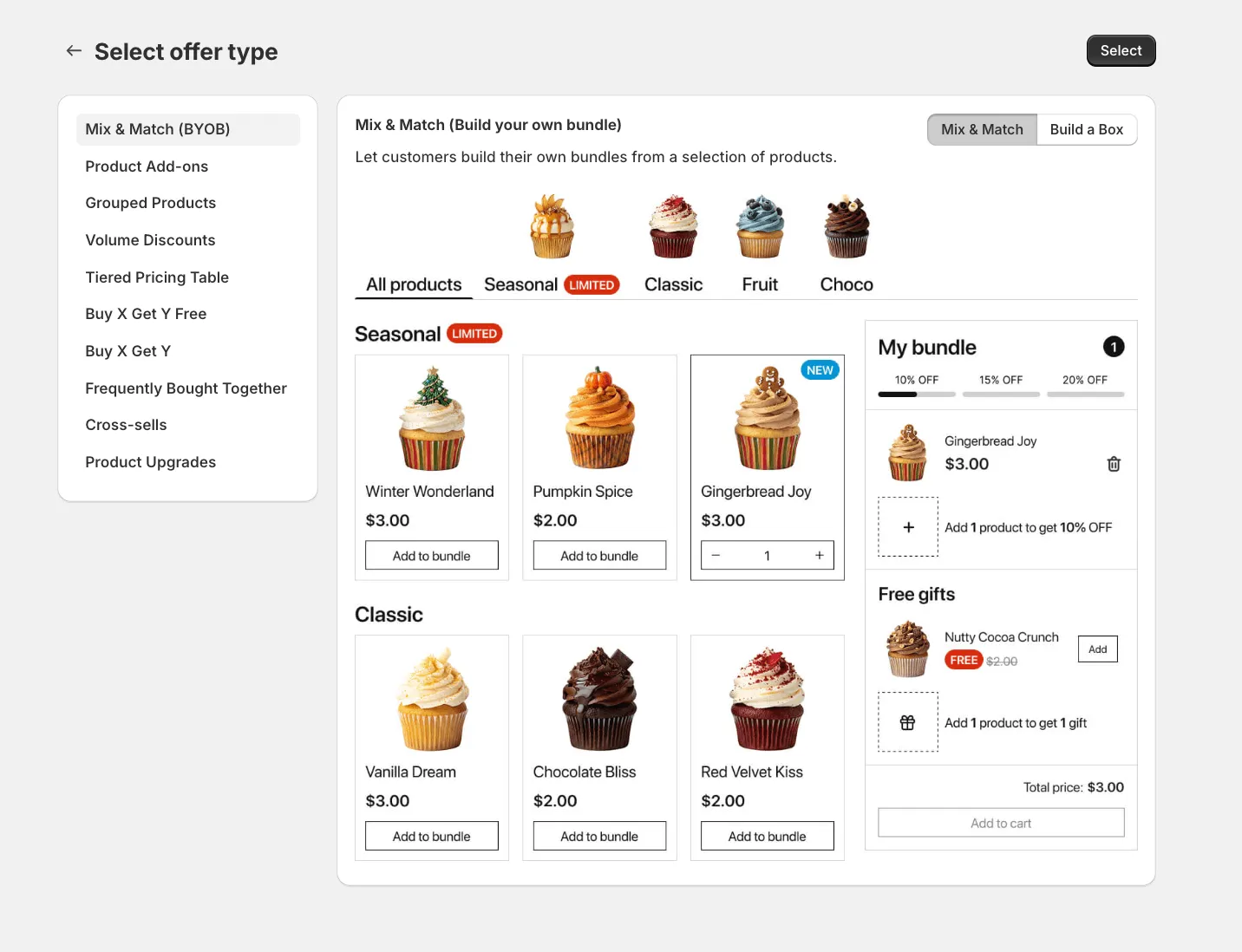
Mix & Match (BYOB)
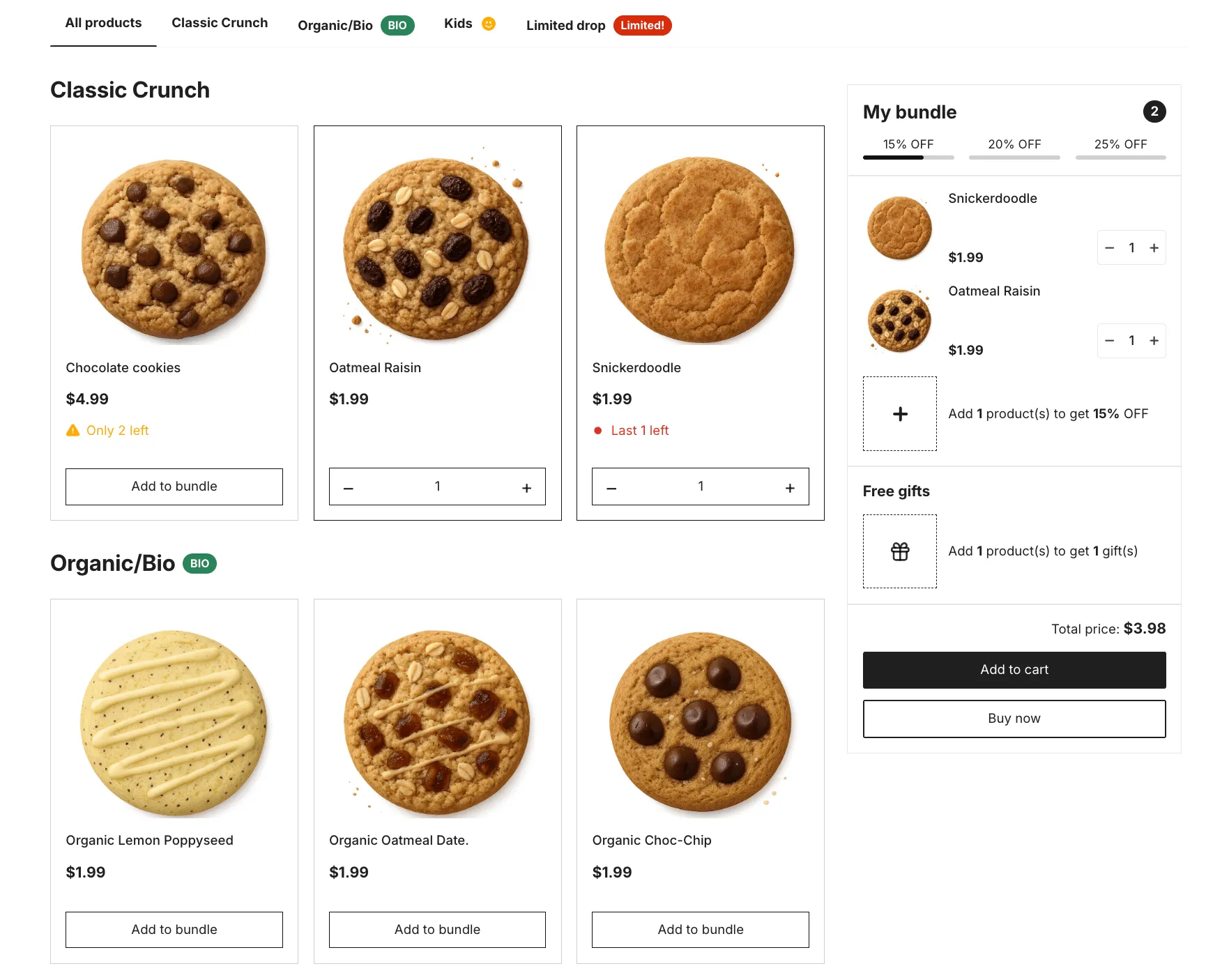
Section titled “Mix & Match (BYOB)”Mix & Match, also known as Build Your Own Bundle (BYOB), lets customers build a personalized bundle on a dedicated bundle page by freely selecting products across categories. As customers add items to their bundle, they automatically unlock discounts or free gifts once the required quantity is reached (for example, buy 3 items to get a discount or a gift).
This is how the BYOB looks on the product pages on the front-end:
Build a box
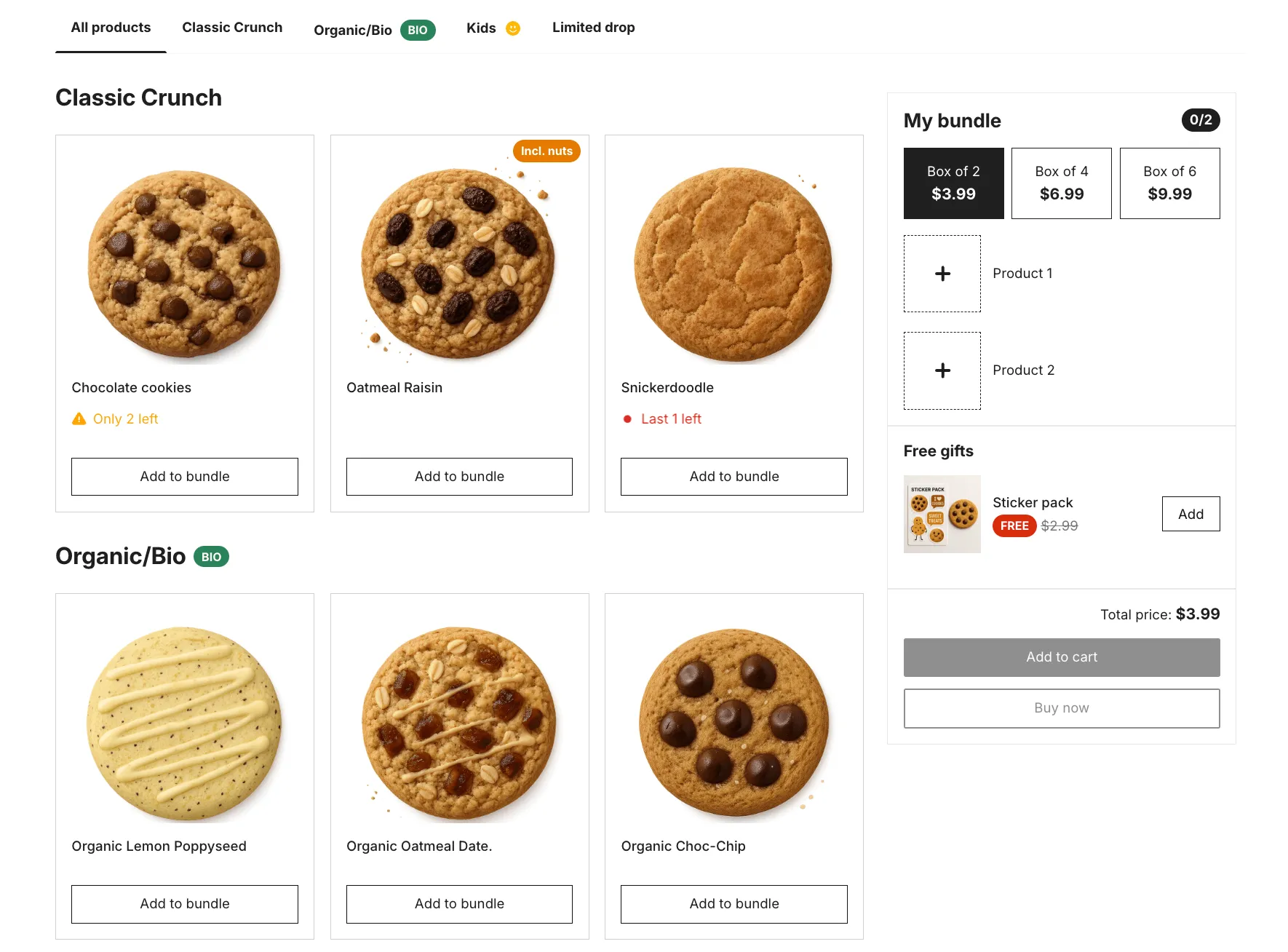
Section titled “Build a box”Build a Box lets merchants create predefined box sizes (for example, Box of 2, 4, or 6 items) and allows customers to fill the box by choosing products themselves. Customers select a box size first, then add products until the box is full, with pricing, discounts, or free gifts applied automatically based on the selected box.
This is how the bundles block looks on the product pages on the front-end:
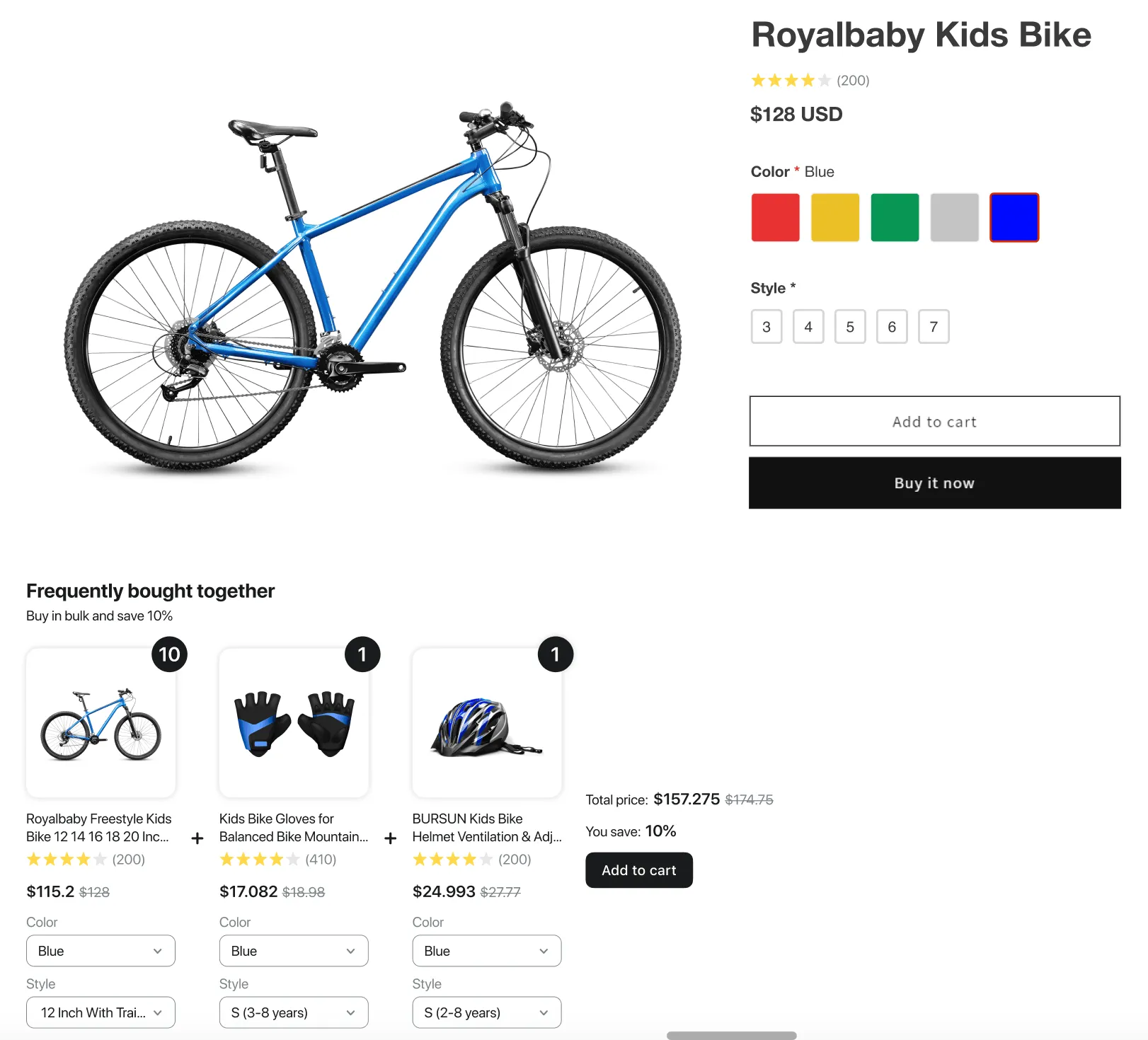
This type of the offers typically implies a commonly recognized or traditional combination of products or services that go well together. Often seen as “Frequently Bought Together” or “Customers Also Bought” sections on product pages. Customers are given a choice to purchase products separately or as a bundle at a discount. This approach is popular because it offers flexibility to consumers.
This is how the bundles block looks on the product pages on the front-end:
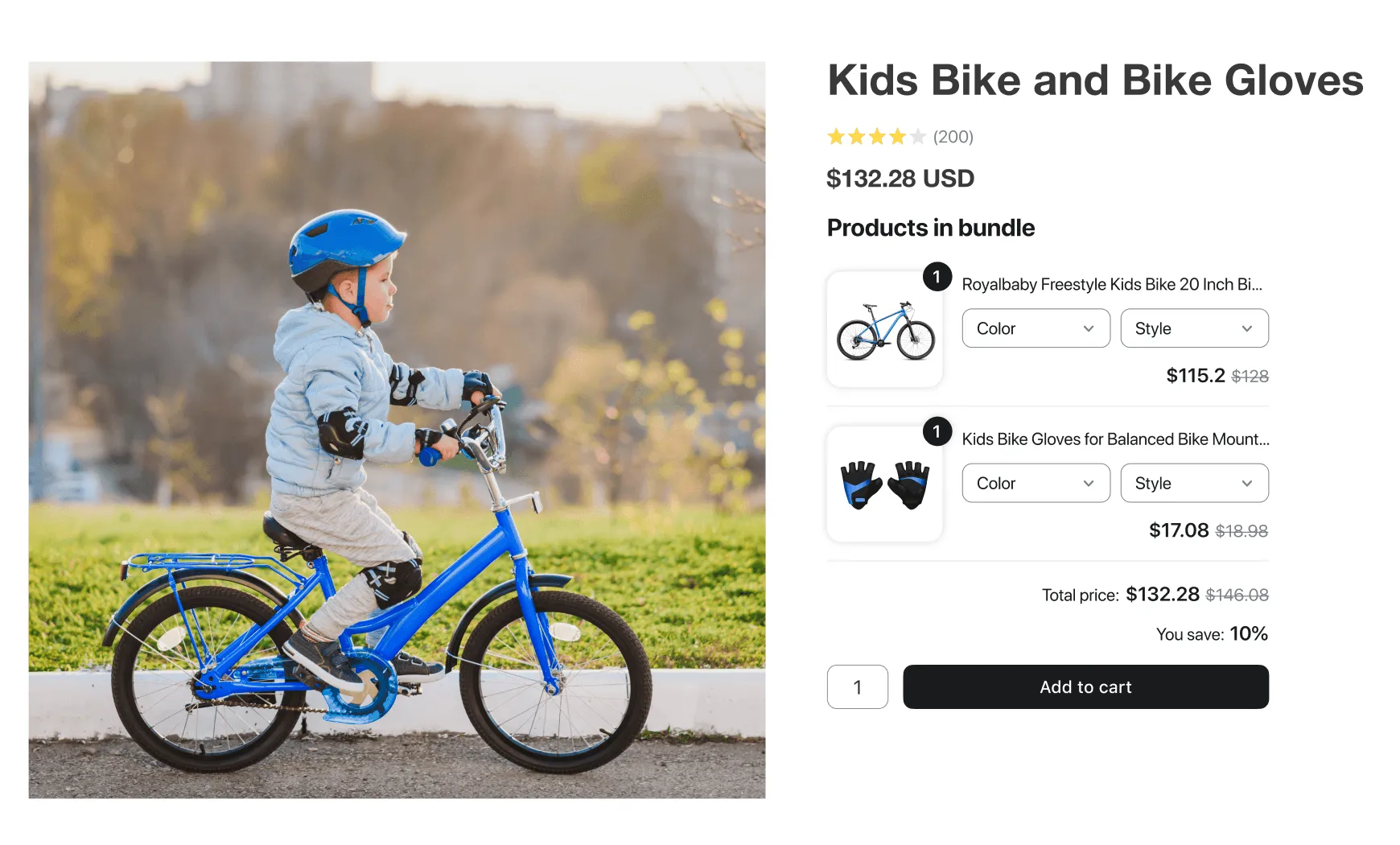
A Grouped Product is a collection of related items that are sold together as a set on a single product page. This offer type allows you to bundle complementary products, enhancing the shopping experience by offering them in a convenient package. Customers can see the value of purchasing the set, often at a better price compared to buying each item individually.
The grouped product offer can be assigned to an existing PDP page. This is how the bundle product looks on the front-end:
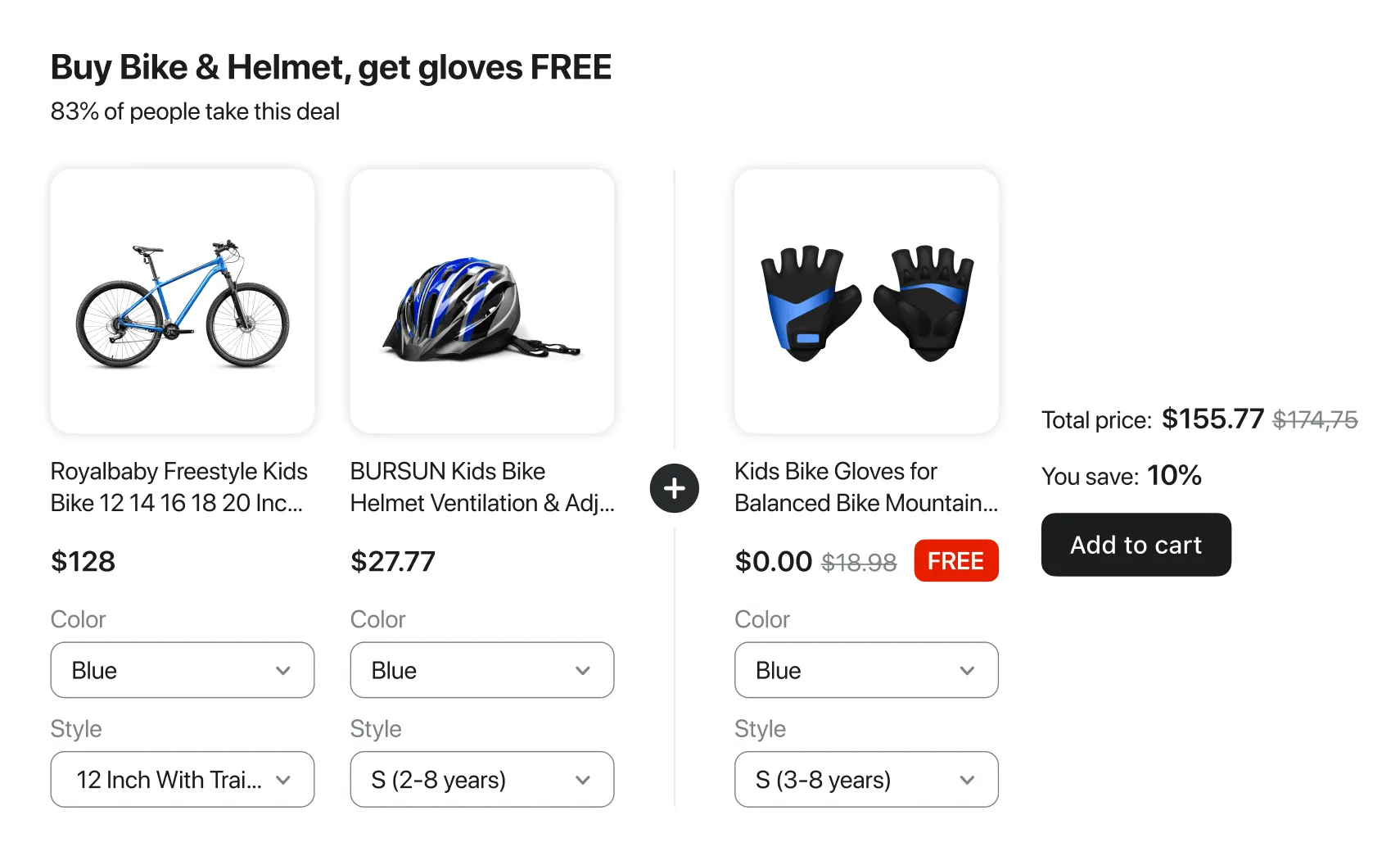
BOGO offer, short for “Buy One, Get One,” is a type of sales promotion commonly used in retail and e-commerce. It involves offering customers a free or discounted item when they purchase another item.
Cross-selling in Shopify refers to the practice of promoting related or complementary products to a customer based on what they are currently viewing or purchasing. The primary goal of cross-selling is to increase the total sale value by encouraging customers to purchase additional items they might find useful or relevant.
Cross-sell offer can be shown either as embedded block in the product page or in the pop-up after adding a main product to the cart.
Pop-up
Section titled “Pop-up”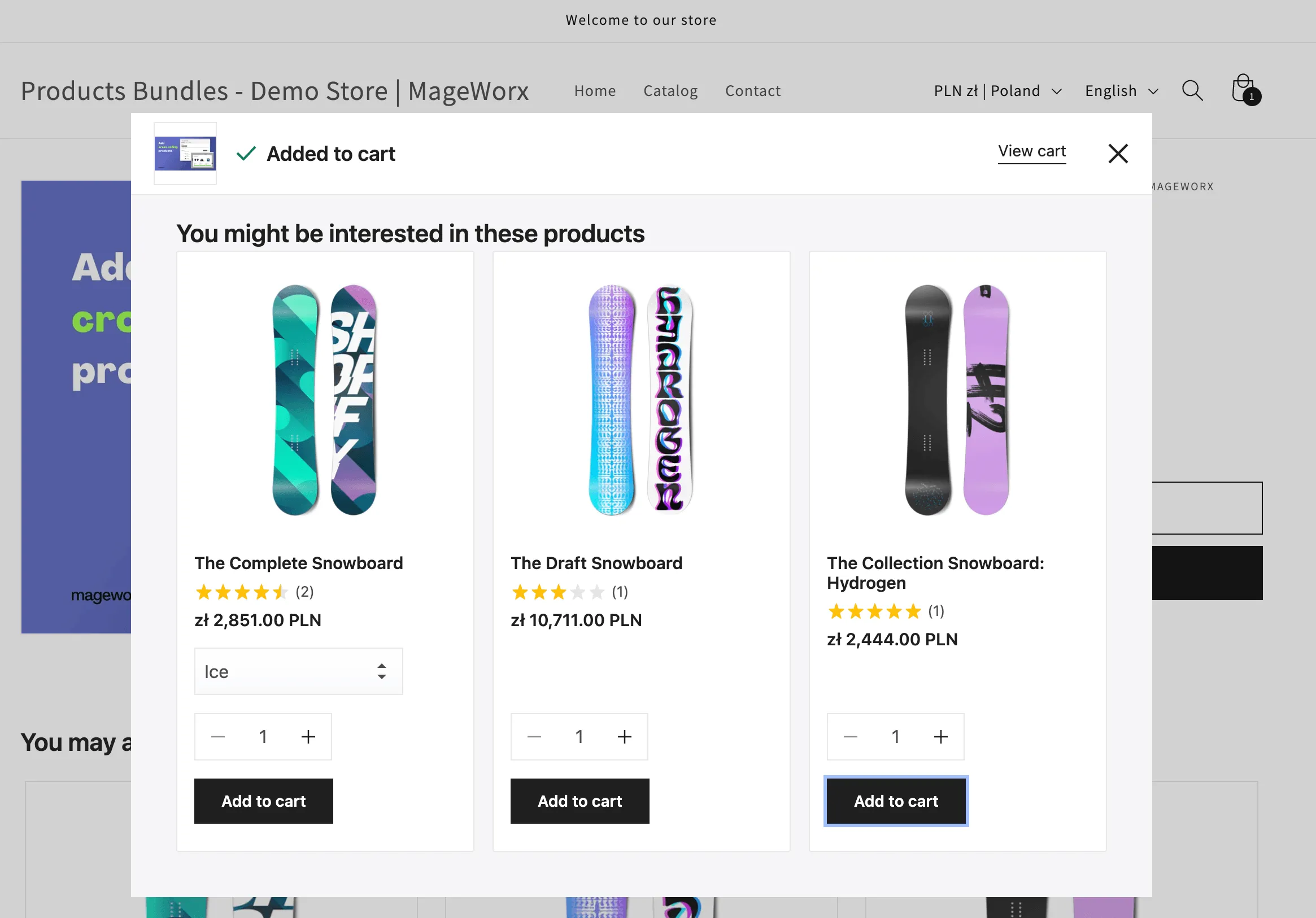
Inline block
Section titled “Inline block”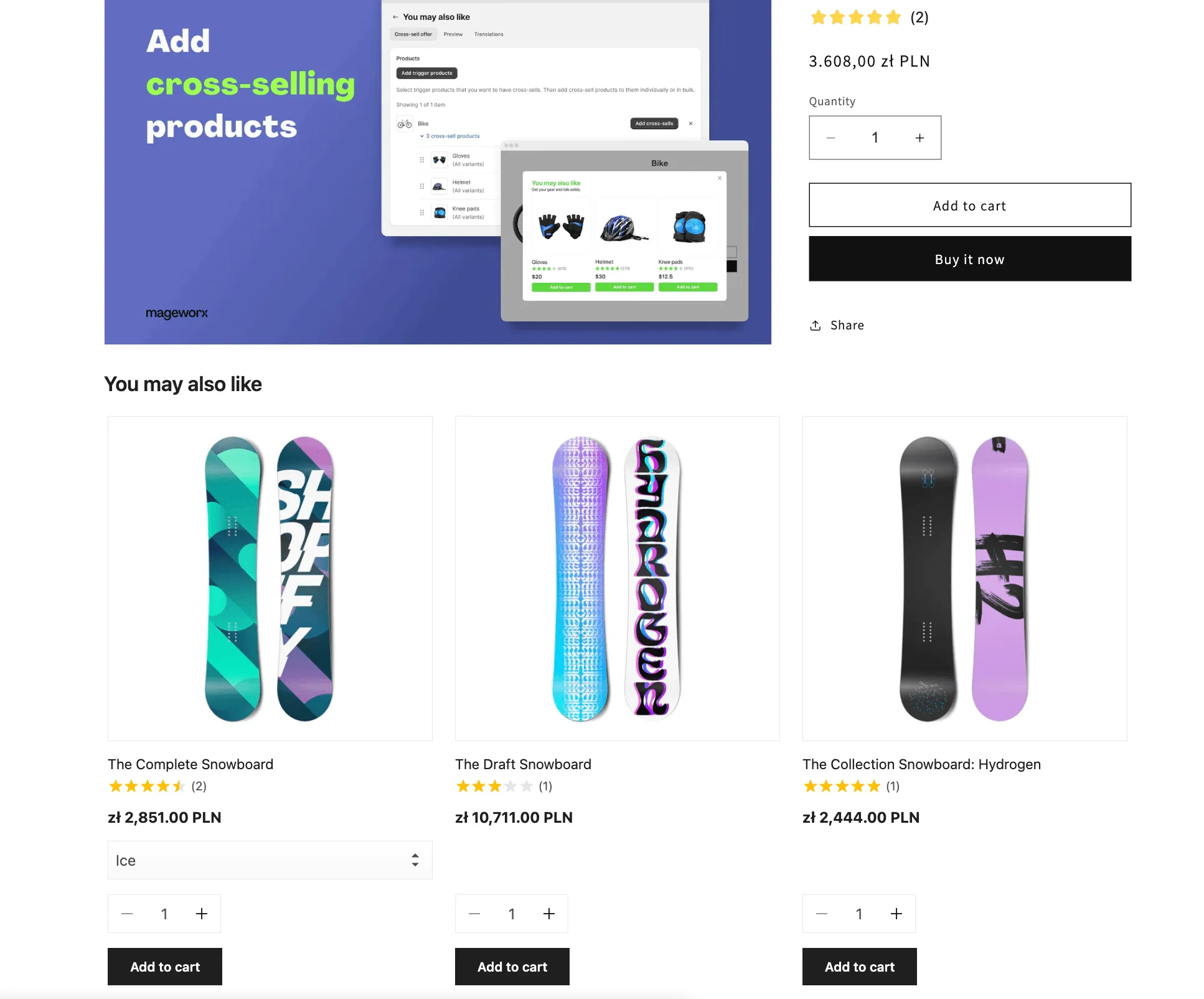
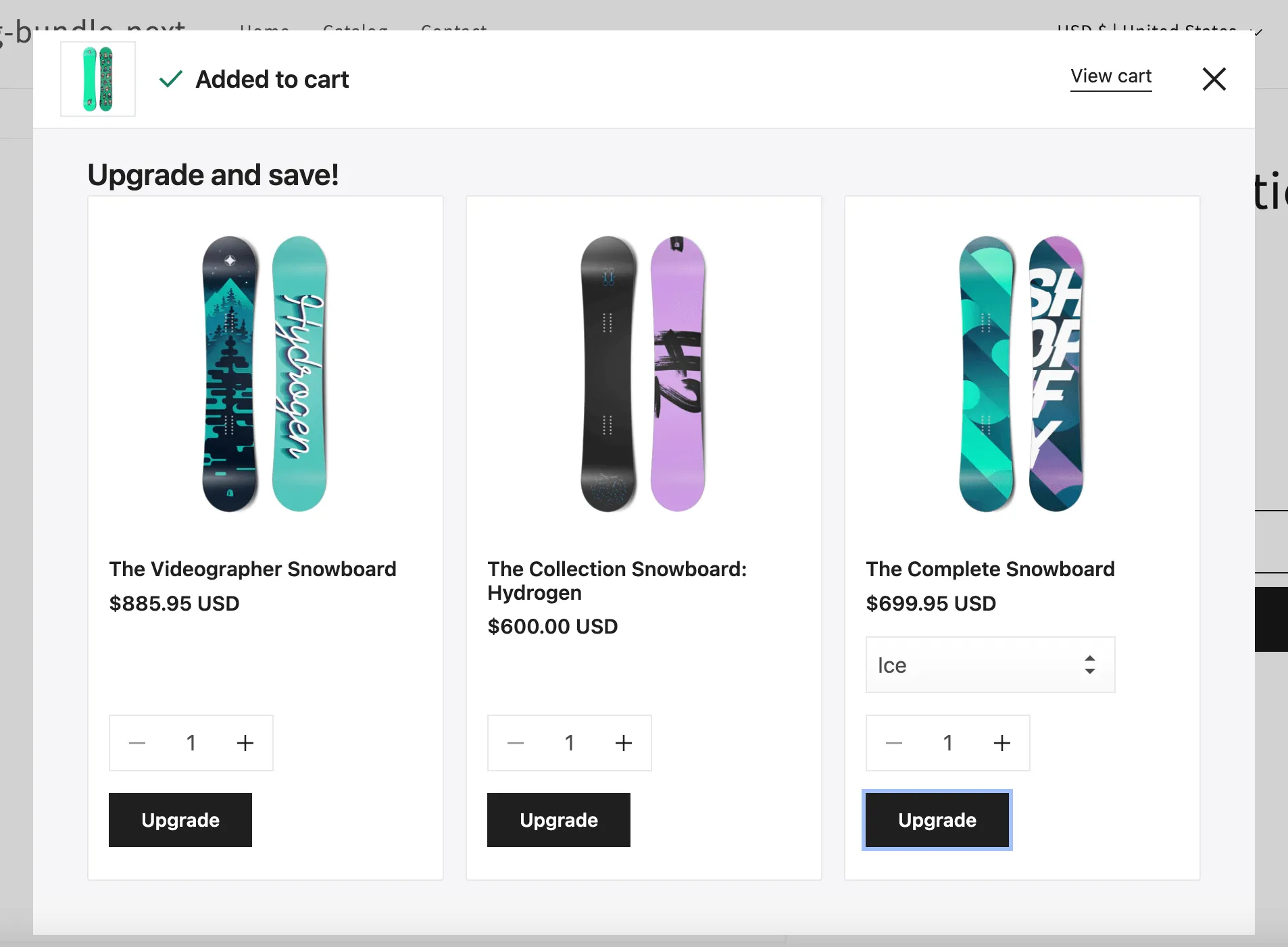
Upselling in e-commerce refers to the strategy of encouraging customers to purchase a higher-end, often more expensive, version of the item they’re considering or to add additional features or services to increase the sale’s value. The goal of upselling is to maximize the value of the customer’s purchase, leading to higher revenues for the retailer.
Currently the upsell offer is shown in the pop-up after adding a main product to the cart.
This is how the upsell pop-up looks on on the front-end:
Product add-ons
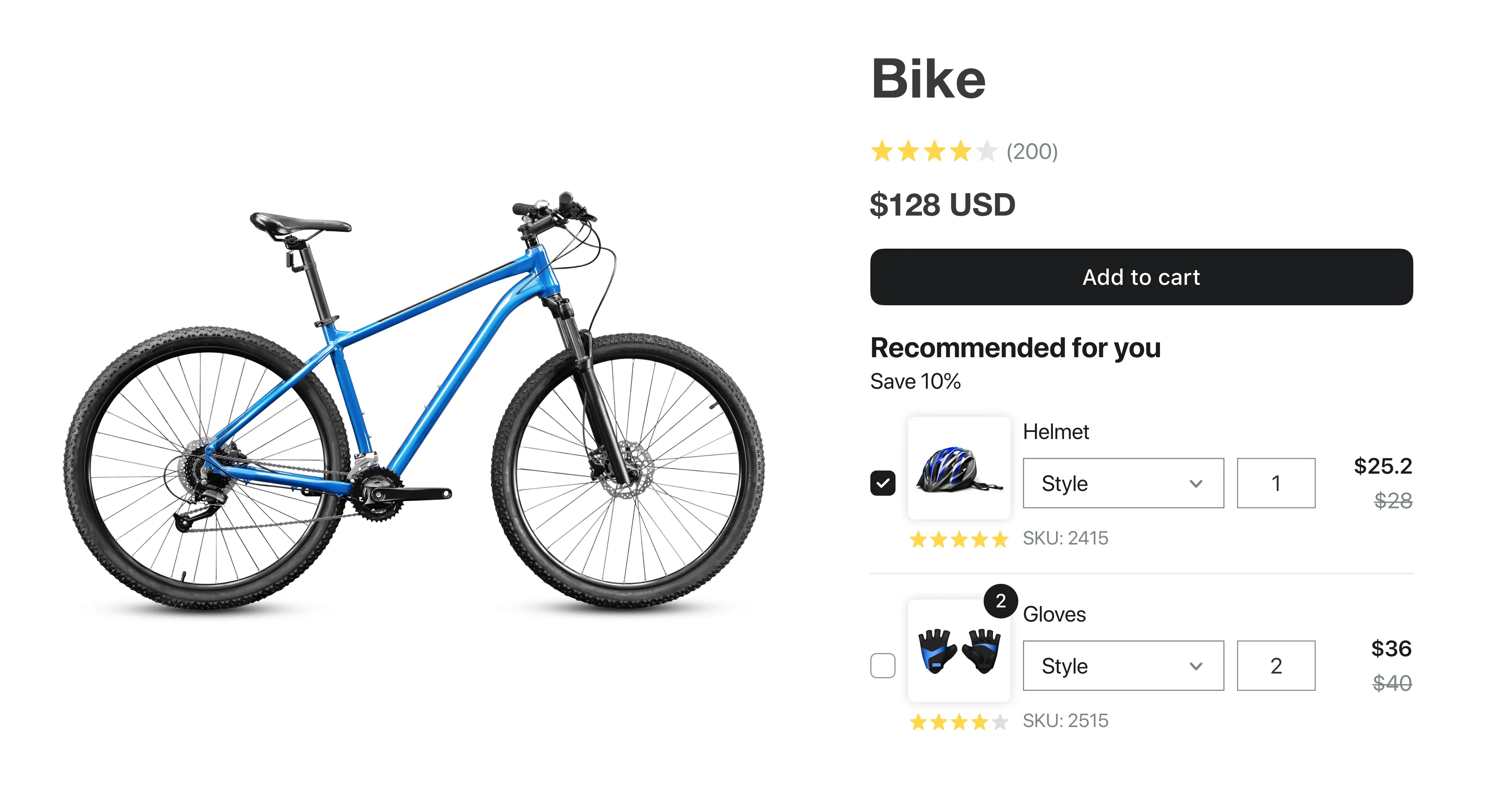
Section titled “Product add-ons”Product Add-Ons / Accessories offers within our app enable customers to enhance their primary product purchase with additional items, directly on the product page. Shoppers can select any number of these add-ons or accessories using checkboxes, adding them to their cart along with the main product. This offer differs from bundles and upsells by giving customers the flexibility to customize their purchase with complementary products at the point of sale.
This is how the Product Add-Ons offer looks on the front end:
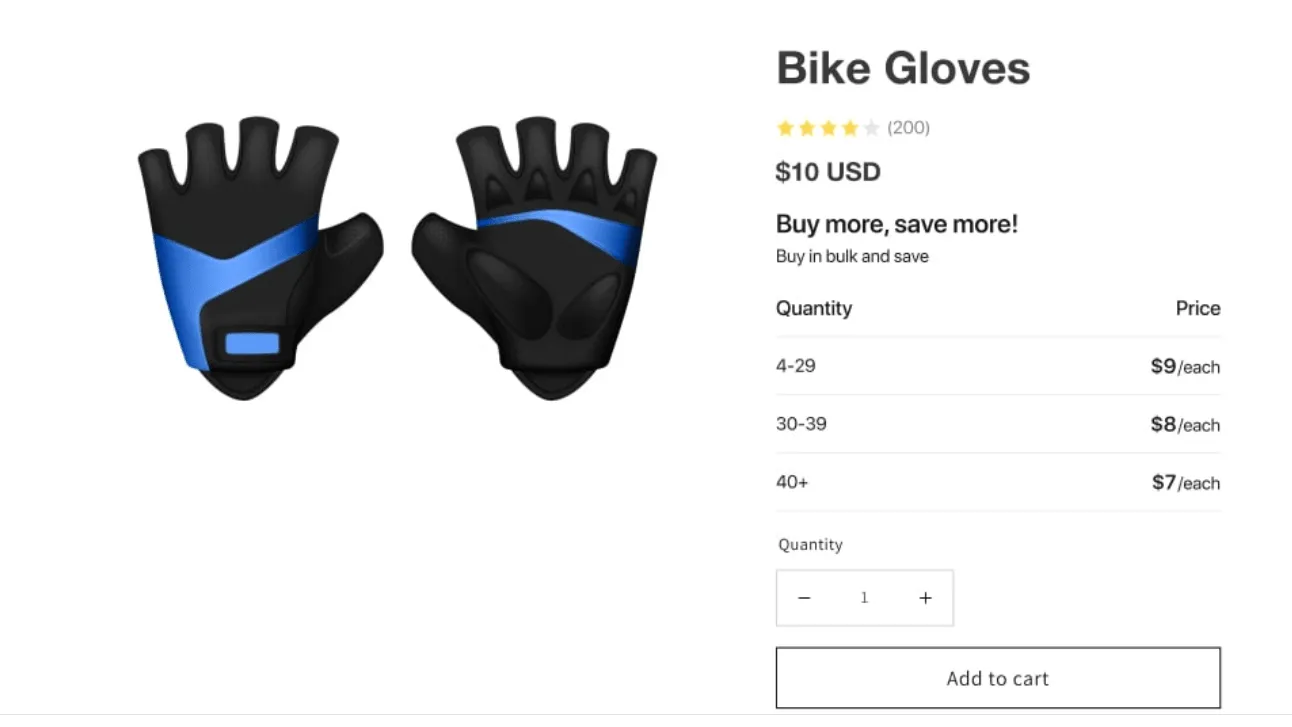
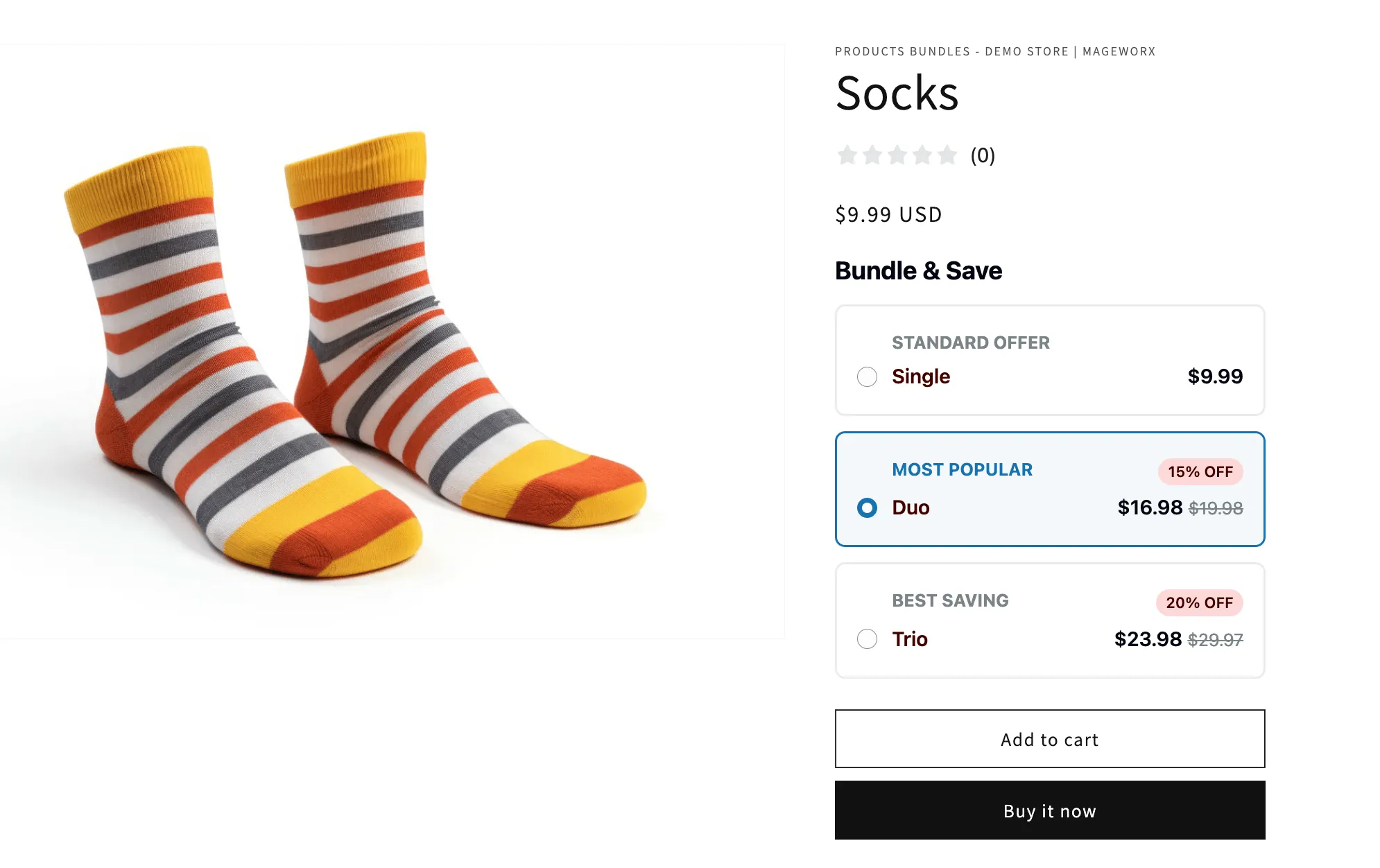
A Volume Bundle is a type of offer or promotion where customers receive discounts based on the quantity of a specific product they purchase. As the customer buys more of the same product, the discount becomes larger, offering tiered pricing incentives.
This type of offer encourages bulk purchasing and helps businesses increase sales by providing customers with savings as they purchase higher quantities of the product.
This is how a Volume Bundle offer looks on the front end:
“Tiered Pricing” offer provides customers with discounts based on the quantity of items they purchase. The more they buy, the bigger the discount they receive.
With Tiered Pricing, customers save more when they buy more. Here’s how it works:
- Discounts by Volume: Enjoy increasing discounts as you reach higher quantity thresholds.
- Flexible Tiers: Each tier unlocks a greater discount based on the number of items you purchase, making it easy to save as you scale up.
- Automatic Savings: Discounts apply automatically when you add eligible quantities to your cart, so you get the best possible price without needing a promo code.
- Per product or combined: Count the quantity of each product separately, or let customers mix any of the selected products to reach a tier — for example, “buy any 3 candles, get 15% off”.
This is how a Tiered Pricing offer looks on the front end:\