
How to add a discount
You can add a discount for your bundle offers and bundle products. The customers will get a discount if all products of a bundle offer or a bundle product are added to the cart.
The discounts can be fixed or percentage.
To add a discount select the “Set discount” → choose a discount’s type → and specify a discount itself.
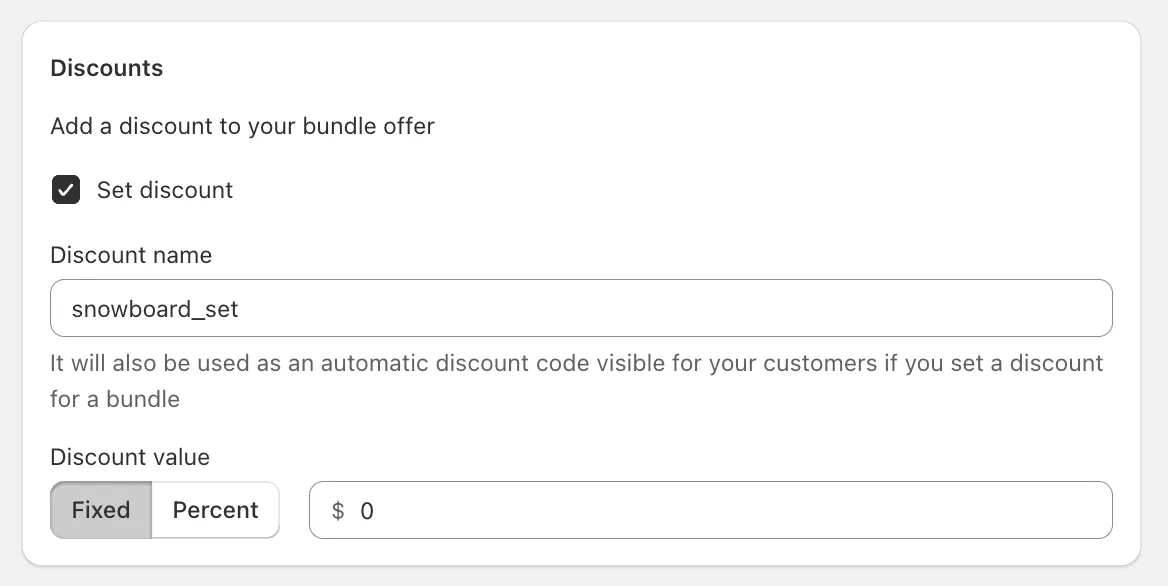
Once the discount is set and an offer is saved, the app will create the Mageworx Shopify function for automatic discounts:

Our discounts can be configured to be combined with other product and shipping discounts. To enable this and configure how Shopify function should apply the discounts if there are multiple discounts go to app’s settings:
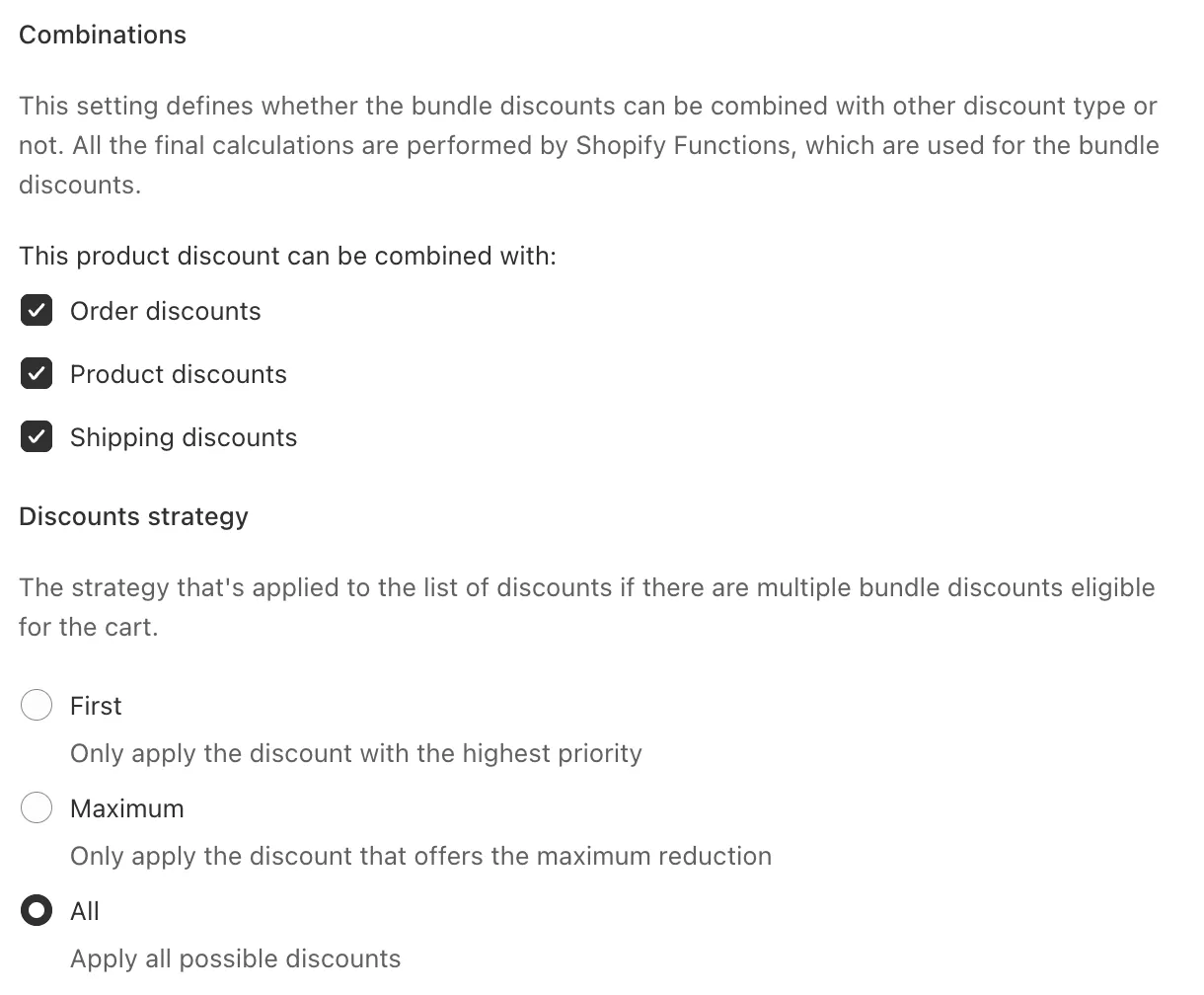
Combinations
This setting defines whether the bundle discounts can be combined with other discount type or not.
Discounts strategy
The strategy that’s applied to the list of discounts if there are multiple bundle discounts eligible for the cart:
- First - it will apply a discount with the highest priority.
- Maximum - it will apply the discount that offers the maximum reduction.