Can I create a fixed bundle that appears as a single product page with a discounted price?
Yes, you can achieve this using the Grouped Products offer with the Fixed type. This setup lets you create a bundle page that looks like a single product, while automatically applying a discount and showing savings.\
How to set it up\
- Create a new offer
◦ Go to Offers → Create offer
◦ Select Grouped Products\ - Choose bundle type
◦ Set Grouped Products Type → Fixed (this ensures customers cannot change quantities — perfect for fixed bundles like “2 products for $X”)\ - Assign a bundle product
◦ Select a product that will act as the bundle page (wrapper product)
◦ This is the product customers will see in your store\ - Add products to the bundle
◦ Click Add products
◦ Add the items you want in the bundle (e.g. Product A + Product B)
◦ Set quantity =1for each (or your desired fixed quantities)\ - Enable discount
◦ Turn on Set discount
◦ Choose:
▪ Percent (e.g. 20%)
▪ or Fixed amount
◦ This will automatically calculate:
▪ original total price
▪ discounted bundle price
▪ savings\ - Display settings
◦ Choose where to show the bundle:
▪ Grouped product page (recommended for this use case)\
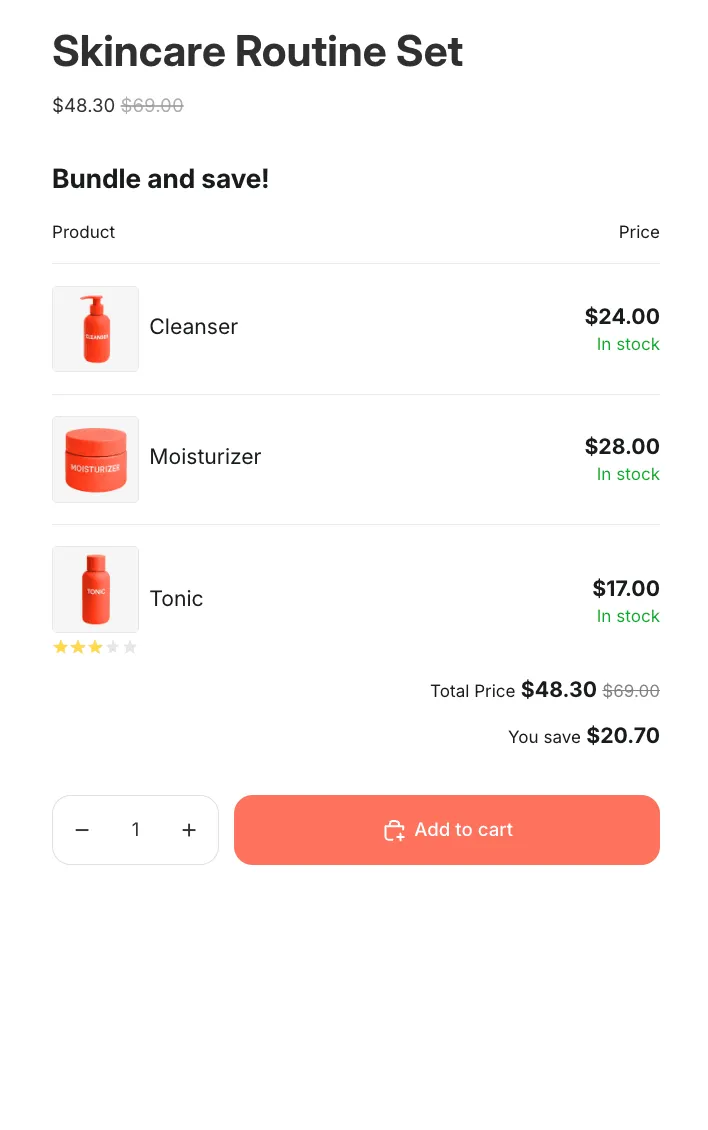
What customers will see
• A single product page (your bundle)
• Original price (sum of items)
• Discounted bundle price
• “You save” amount
• All included products listed clearly\
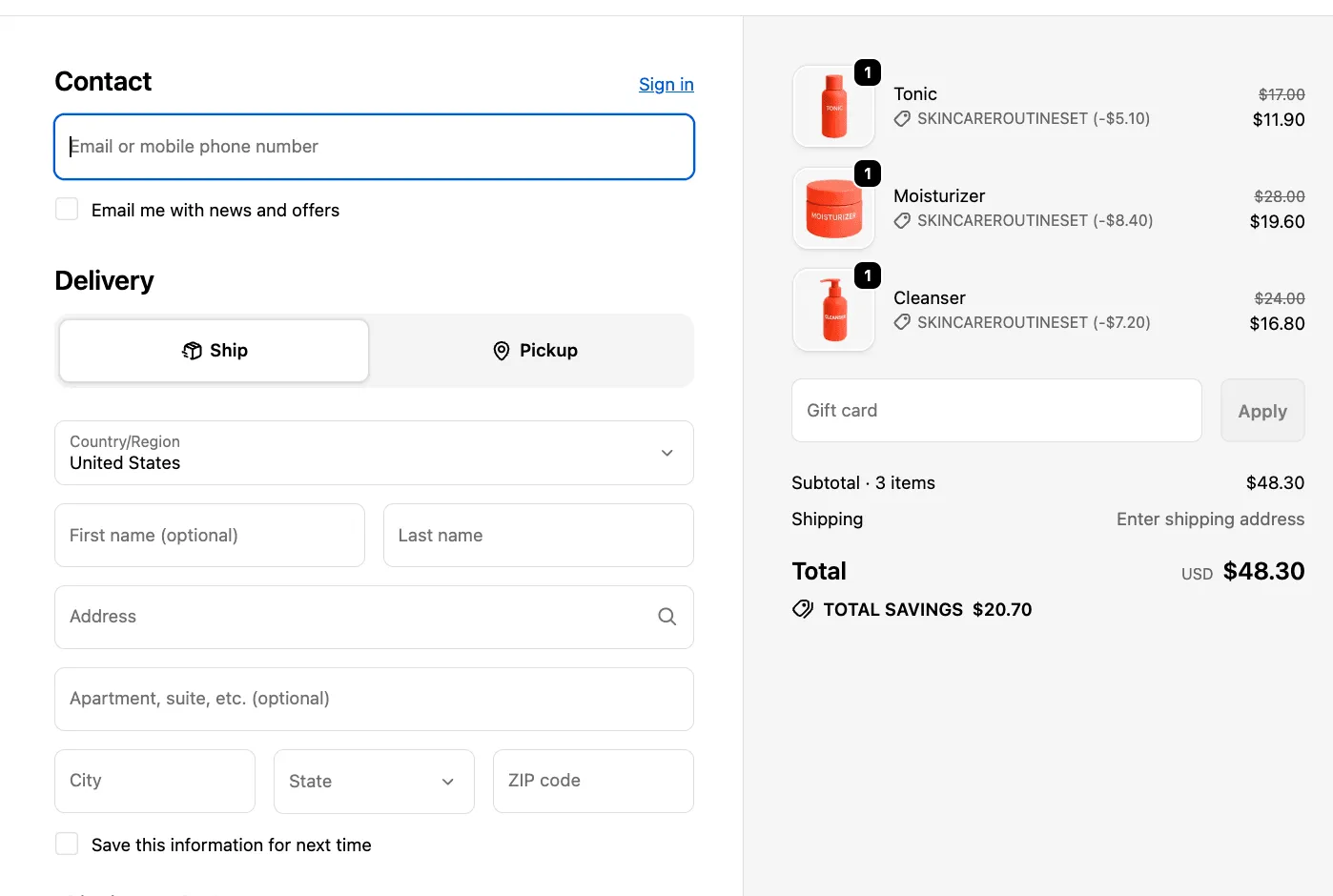
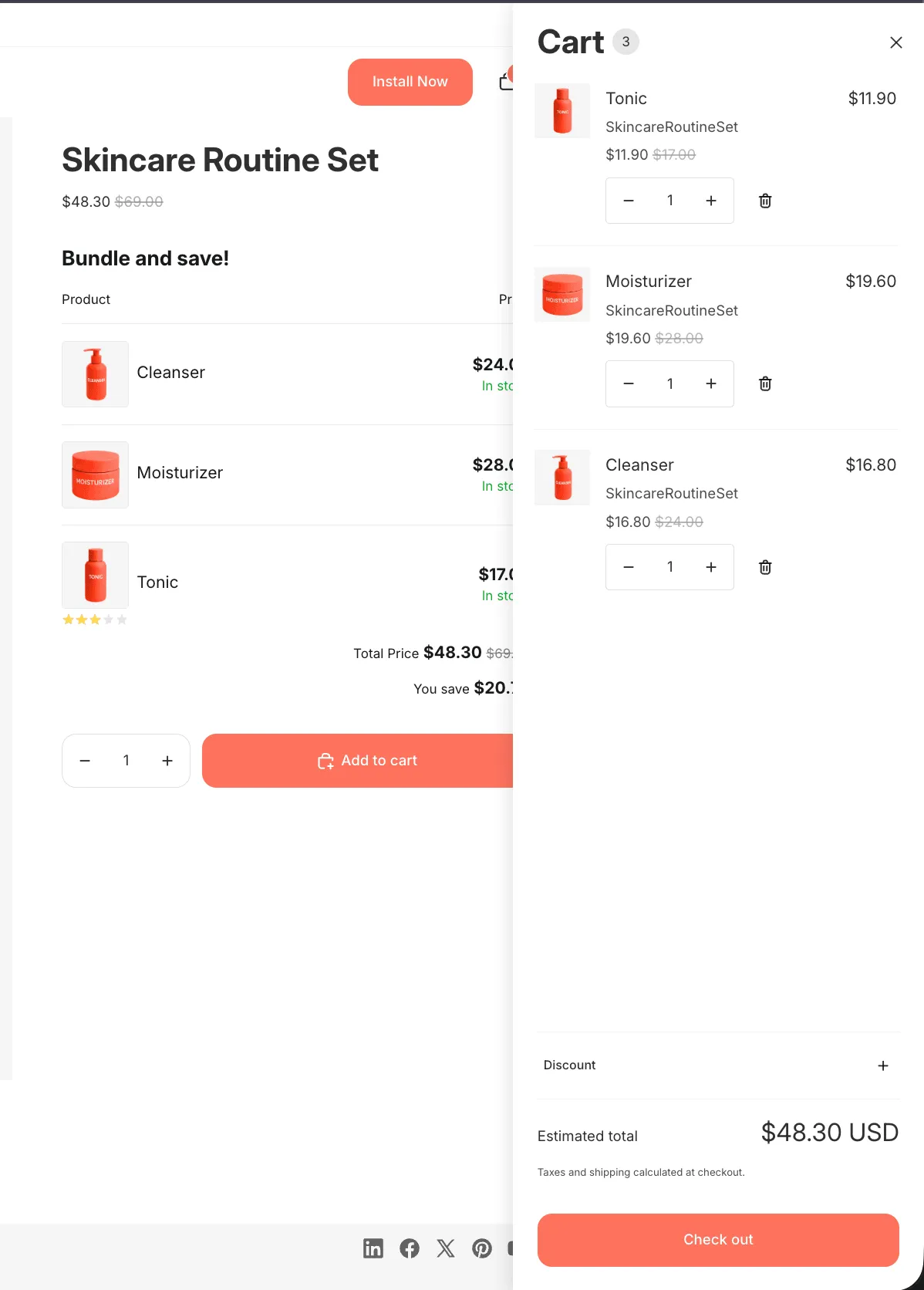
How it works in cart & checkout
• The bundle is split into individual products
• Each item gets its discount applied automatically
• This ensures:
◦ accurate inventory tracking
◦ full compatibility with Shopify checkout, shipping, and apps\
Important note
This setup looks like a single bundle on the storefront, but in the cart/checkout it will appear as separate products (with discounts applied).
Product page
Cart
Checkout