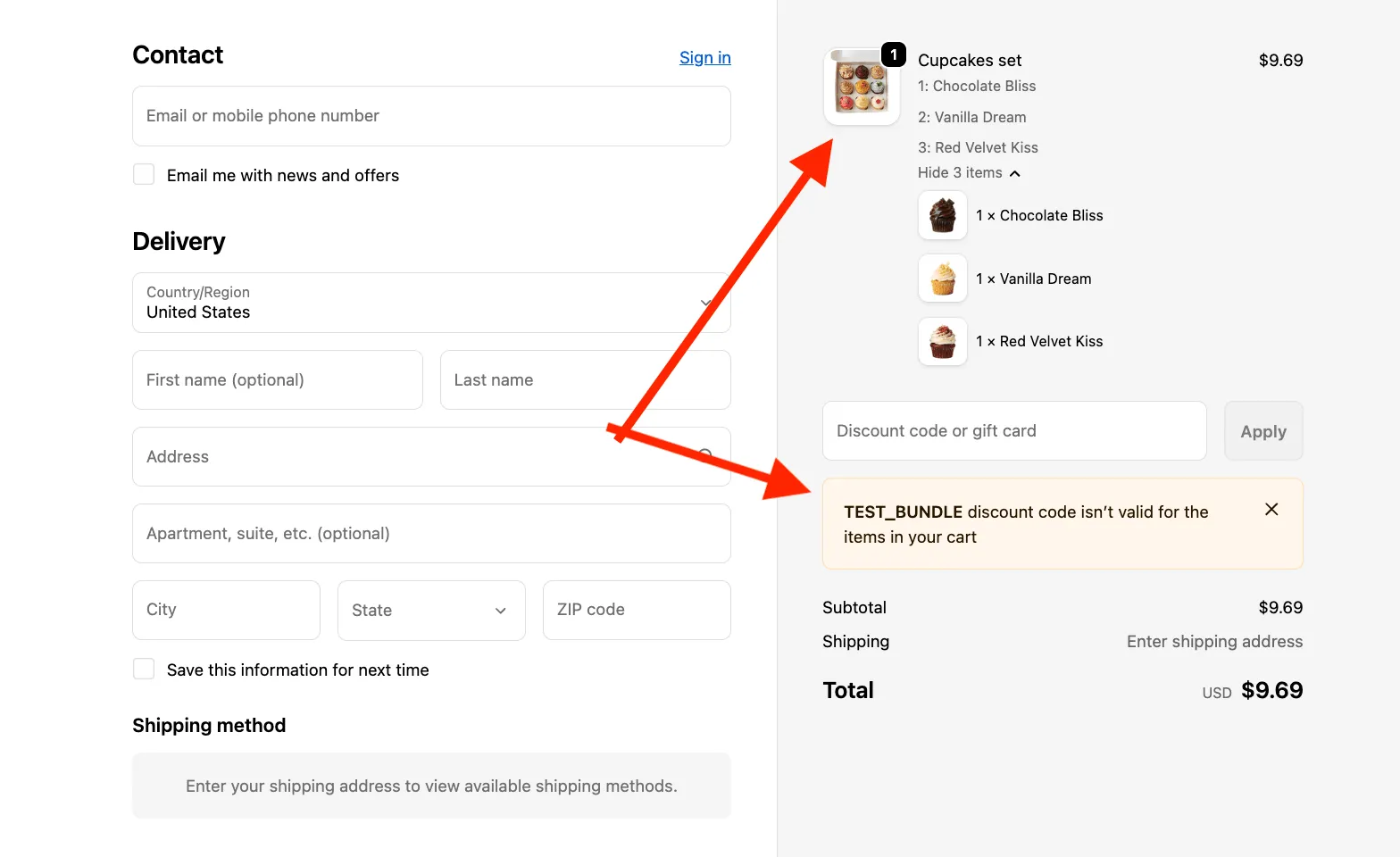
How to prevent discount stacking for Mix & Match Bundles
Workaround: Exclude bundle products from discounts
Section titled “Workaround: Exclude bundle products from discounts”You can prevent discount stacking by excluding the Mix & Match bundle product itself from all collections and configuring your Shopify discounts to apply only to specific collections.
Important: Do not exclude the products inside the bundle - only the bundle product created for the Mix & Match offer.
Step 1 - Remove the bundle product from collections
Section titled “Step 1 - Remove the bundle product from collections”-
Go to Shopify Admin → Products
-
Open your Mix & Match bundle product
-
Remove it from all manual collections
or adjust automated collection conditions so it does not match them
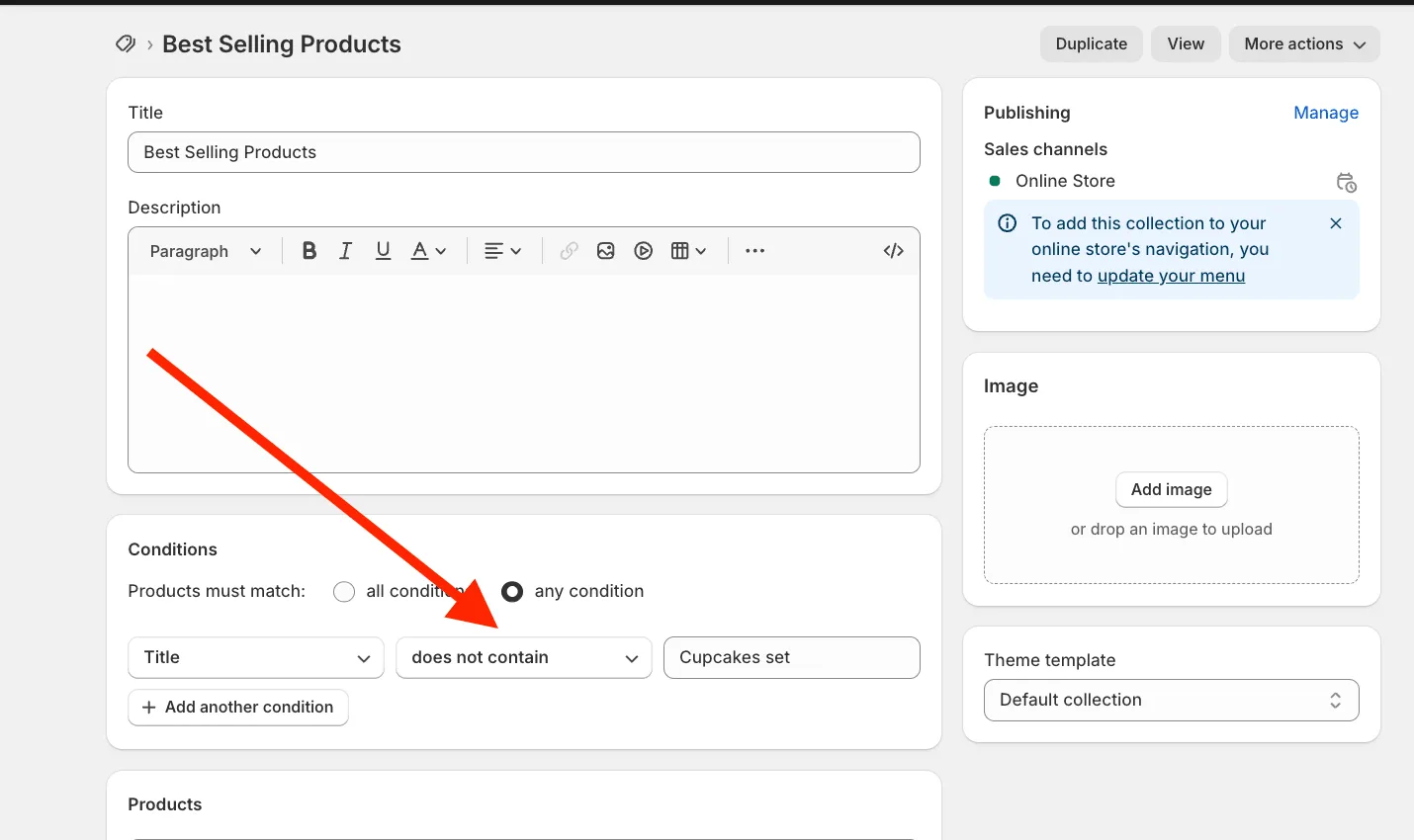
Step 2 — Restrict Shopify discount
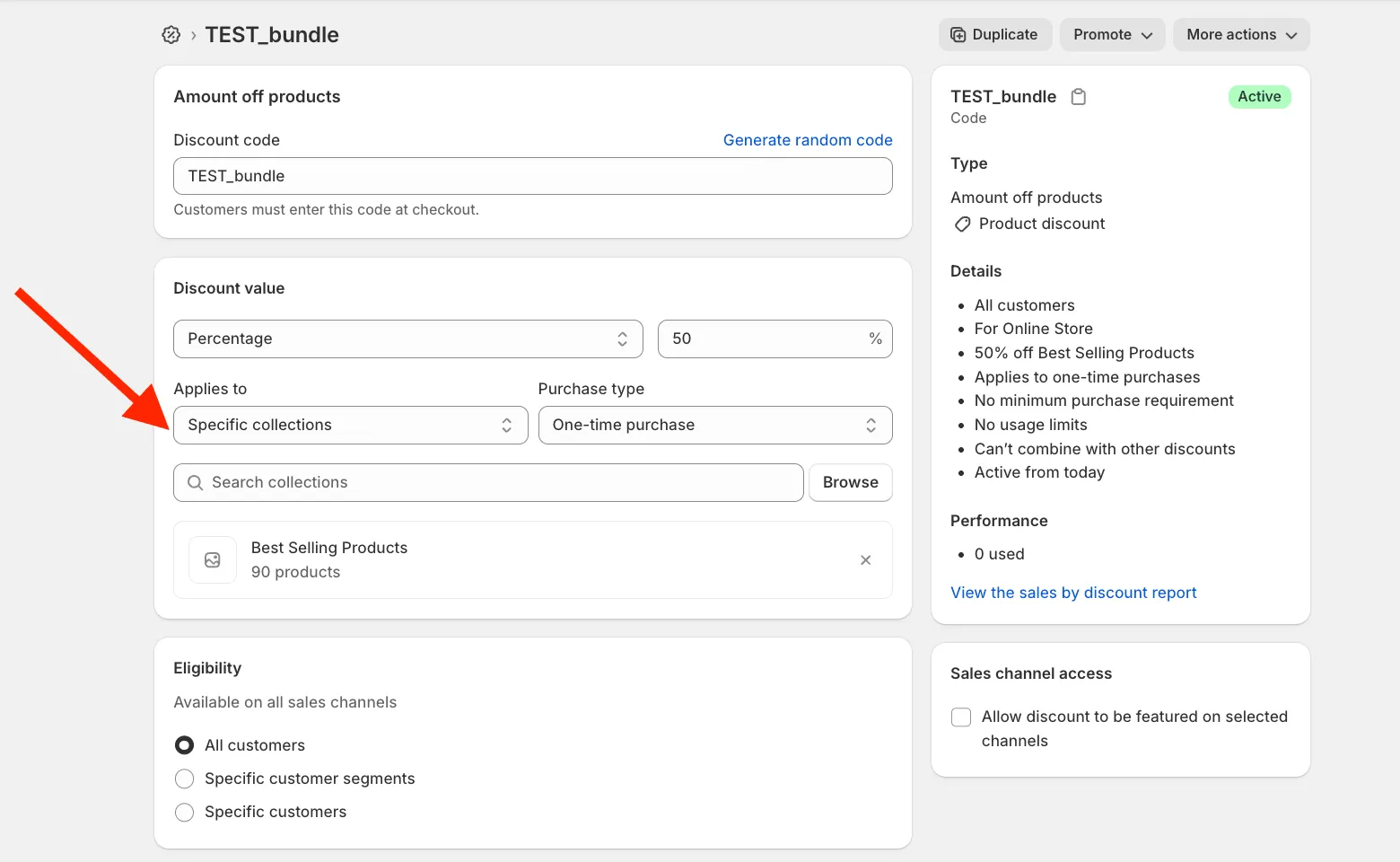
Section titled “Step 2 — Restrict Shopify discount”- Go to Shopify Admin → Discounts
- Edit your discount
- Set it to apply only to selected collections
- Choose collections that do not include the bundle product
Result
Section titled “Result”- Regular products → discount applies
- Mix & Match bundle → discount does not apply
This prevents discount stacking for Mix & Match bundles.