
Advanced Product OptionsGetting started
Will the app still work if I change the theme?
If you changed the theme, you need to activate the app on the new theme to make it function there.
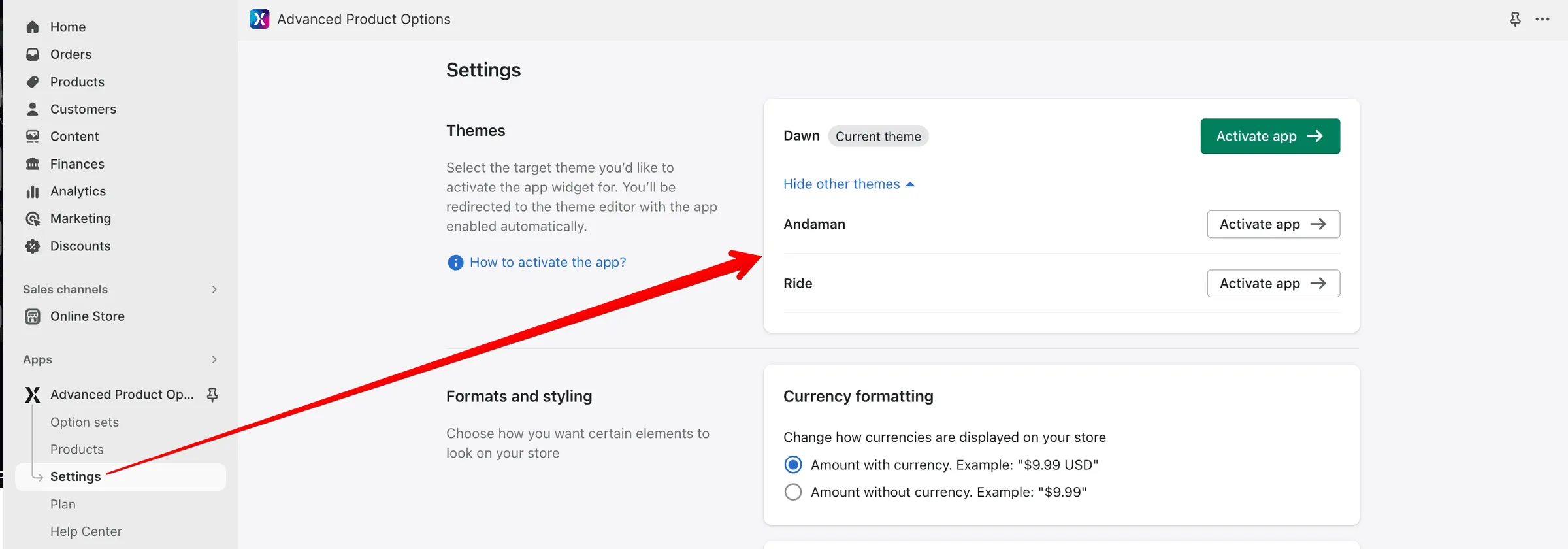
- To activate the app, navigate to the Settings section in the left-side menu.
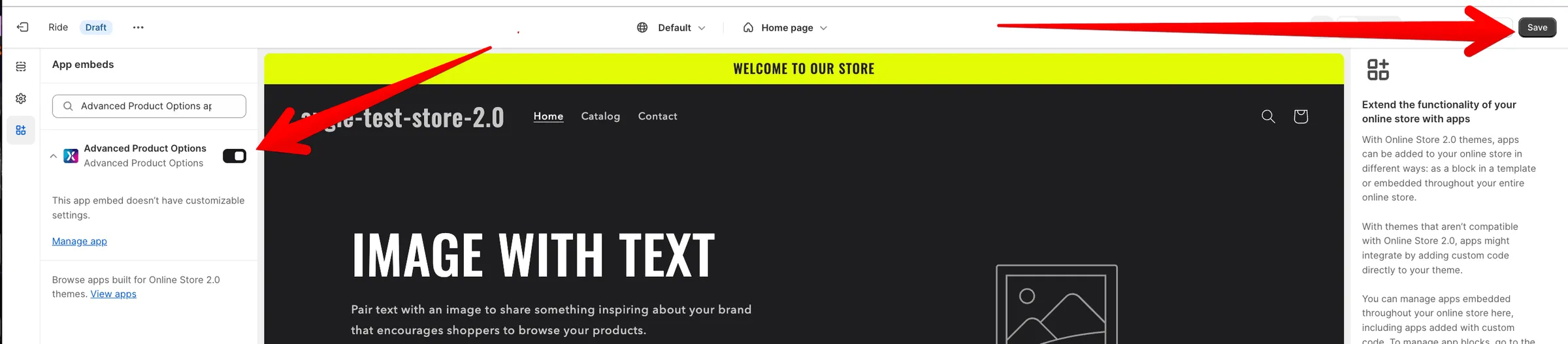
- In the Themes section, select a theme you’d like to activate the app for and click the Activate button next to it. You’ll be redirected to the theme editor with the app embed block toggle enabled by default.
- Click Save in the upper right corner to make the changes take effect.
Also, you might need to add the new theme’s selectors to the CSS selectors section of the app Settings.