
Advanced Product OptionsUsing the app
Case 3.2: Back up selected options for individual products
Use this when you need to back up product-level options that were created directly on products.
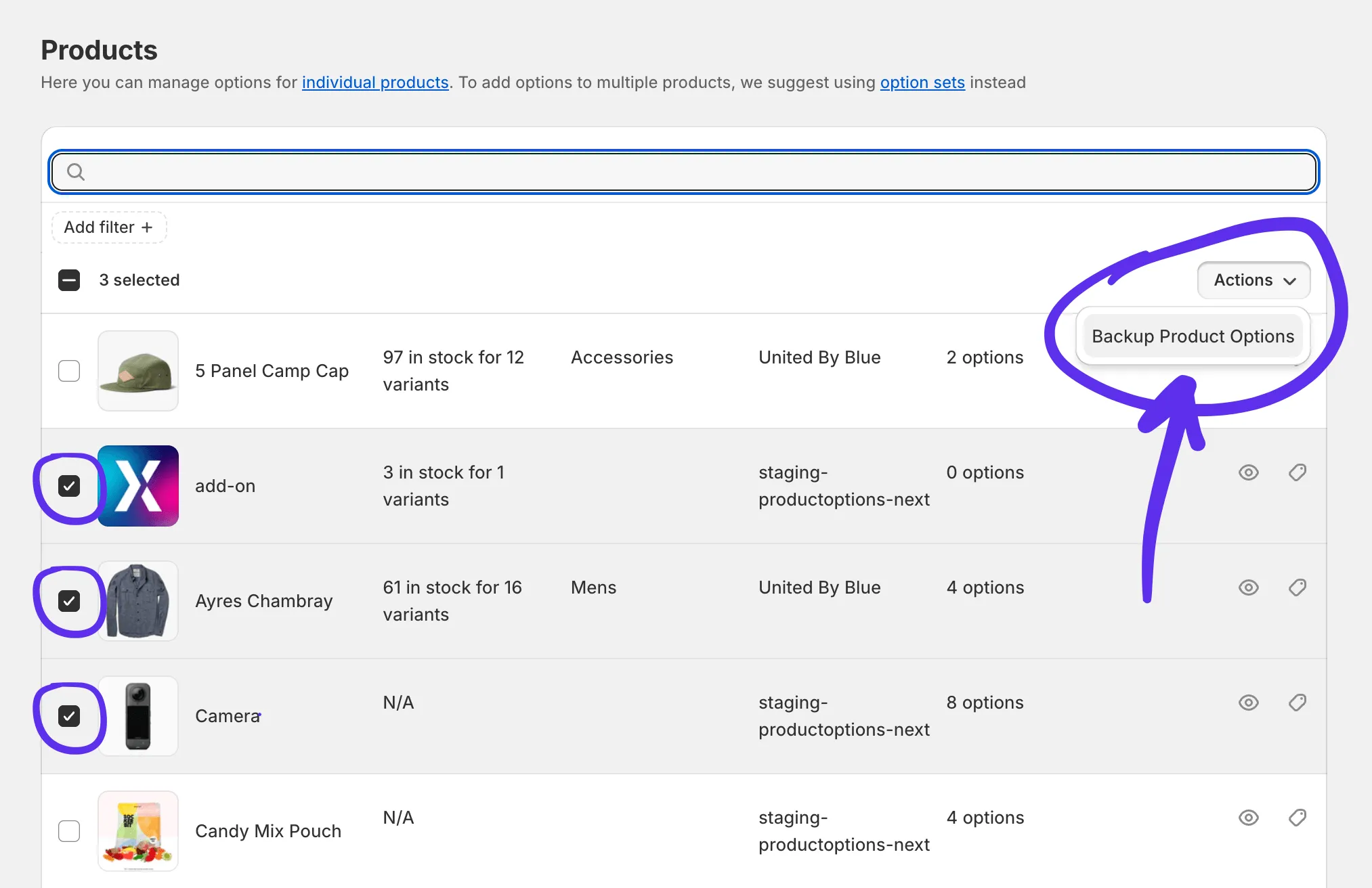
Select the products in Products grid (side app tab), open Actions, and choose Backup Product Options.
In the modal, choose what to back up:
- Current page
- All product options
- Selected (options for X products)
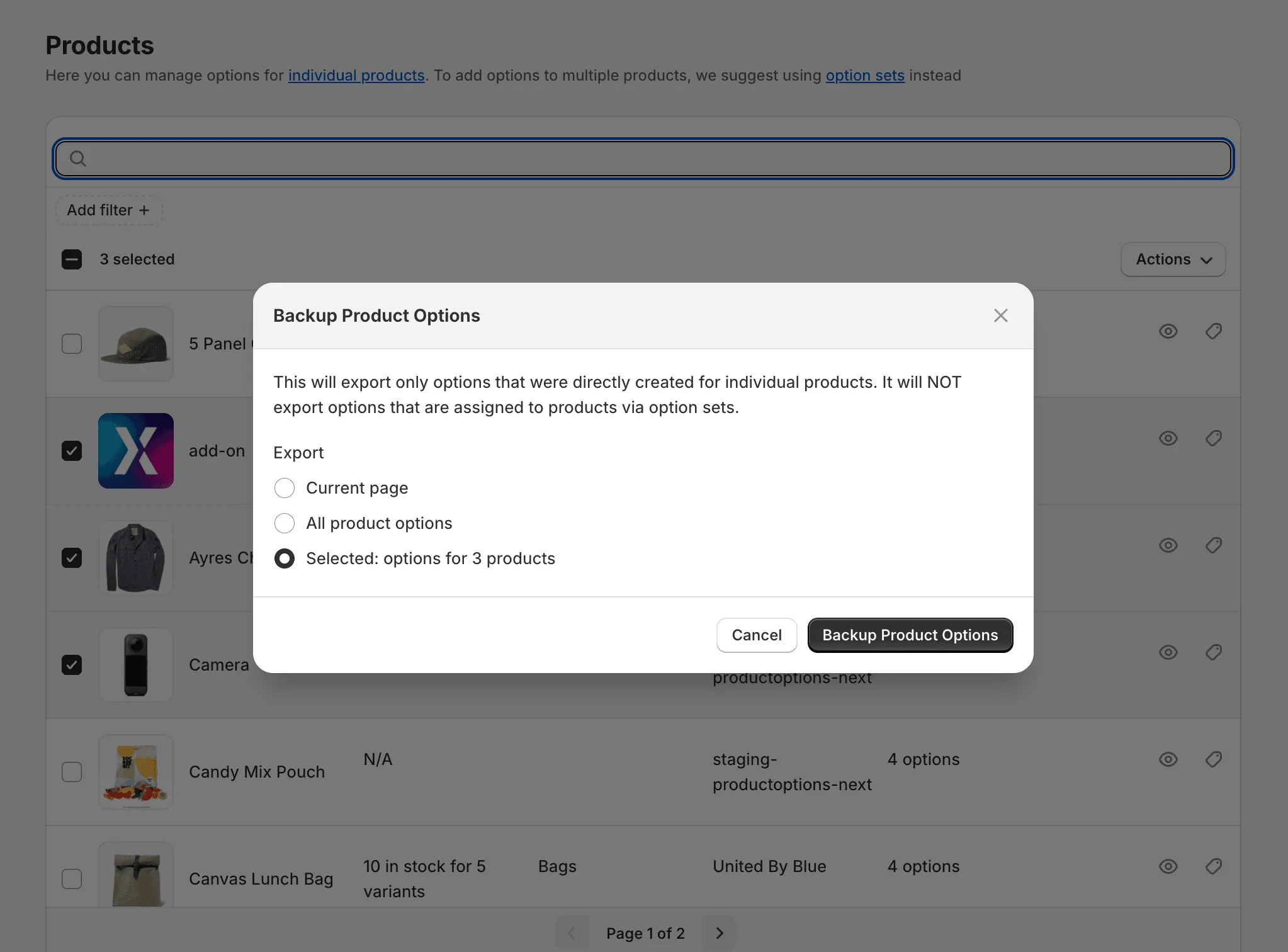
Click Backup Product Options to start.
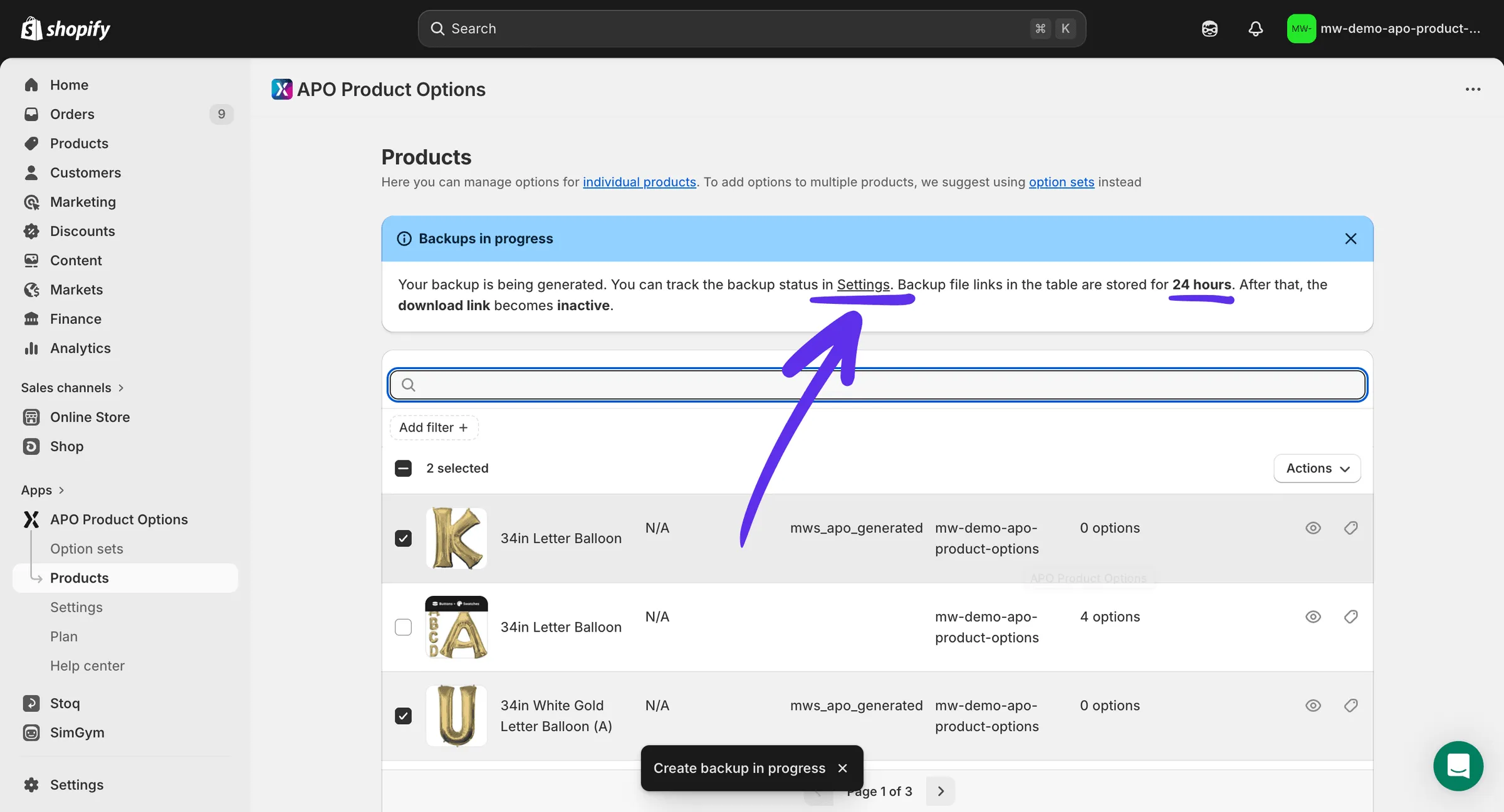
A banner confirms the backup is in progress. The process runs in the background.
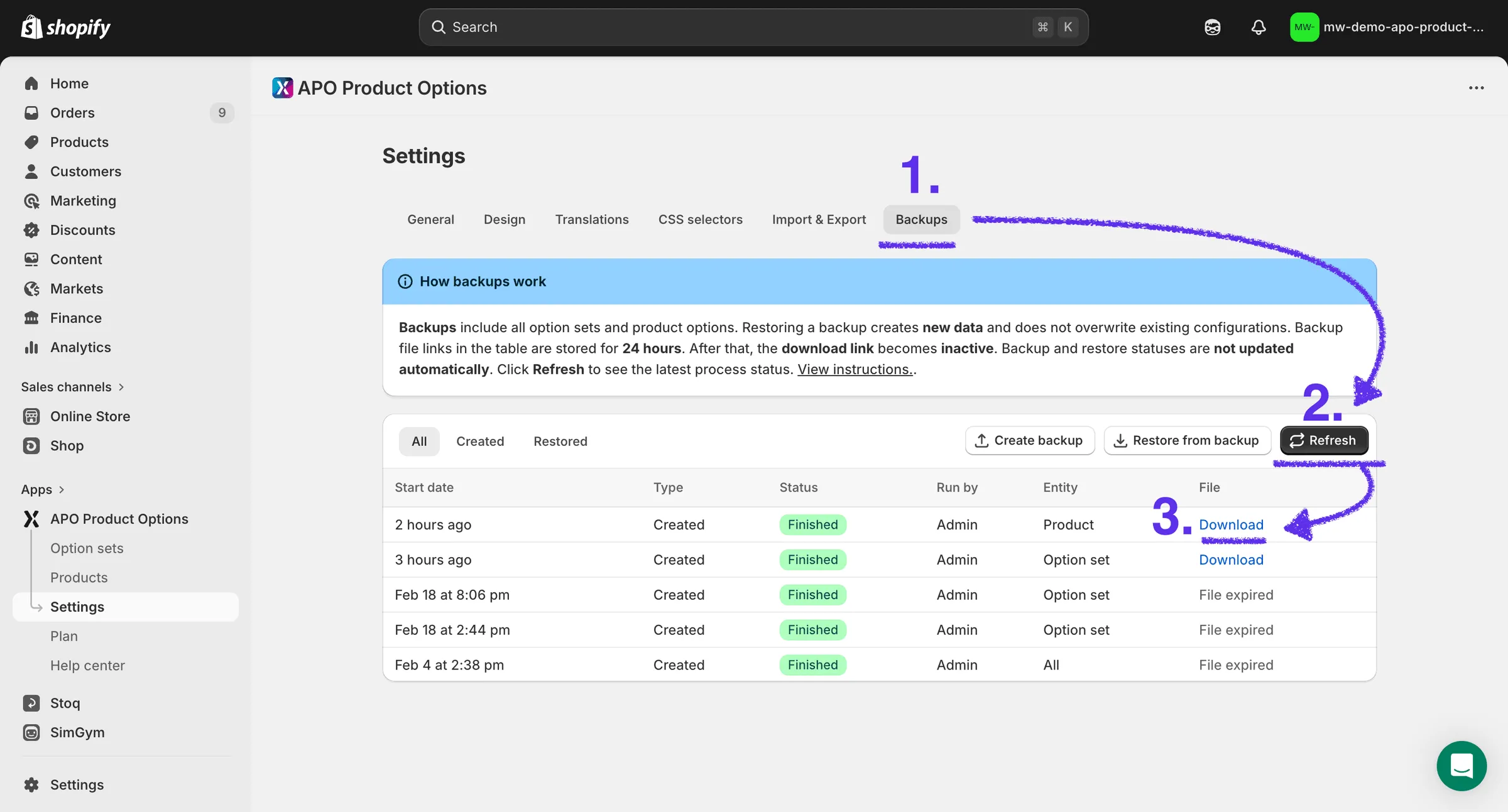
To check the status and download the backup file, go to Settings → Backups and click Refresh (statuses are not updated automatically).
Important: this backup exports only options created for individual products. It does not include options assigned to products via option sets. For a full snapshot of everything, use the full backup in Settings → Backups.