
How APO Value SKU works in CTA mode
Overview
Section titled “Overview”When CTA mode is enabled, APO cannot modify the Shopify product SKU. This is a limitation of how CTA mode works in Shopify. To support integrations and reporting, APO exposes its own generated SKU using Mageworx (MWS) line item properties.
What changes in CTA mode
Section titled “What changes in CTA mode”- Shopify product SKU remains unchanged
- No cloned product is created
- APO does not overwrite or concatenate the Shopify SKU
Instead, APO generates SKU and passes it in the order data.
What is APO Value SKU
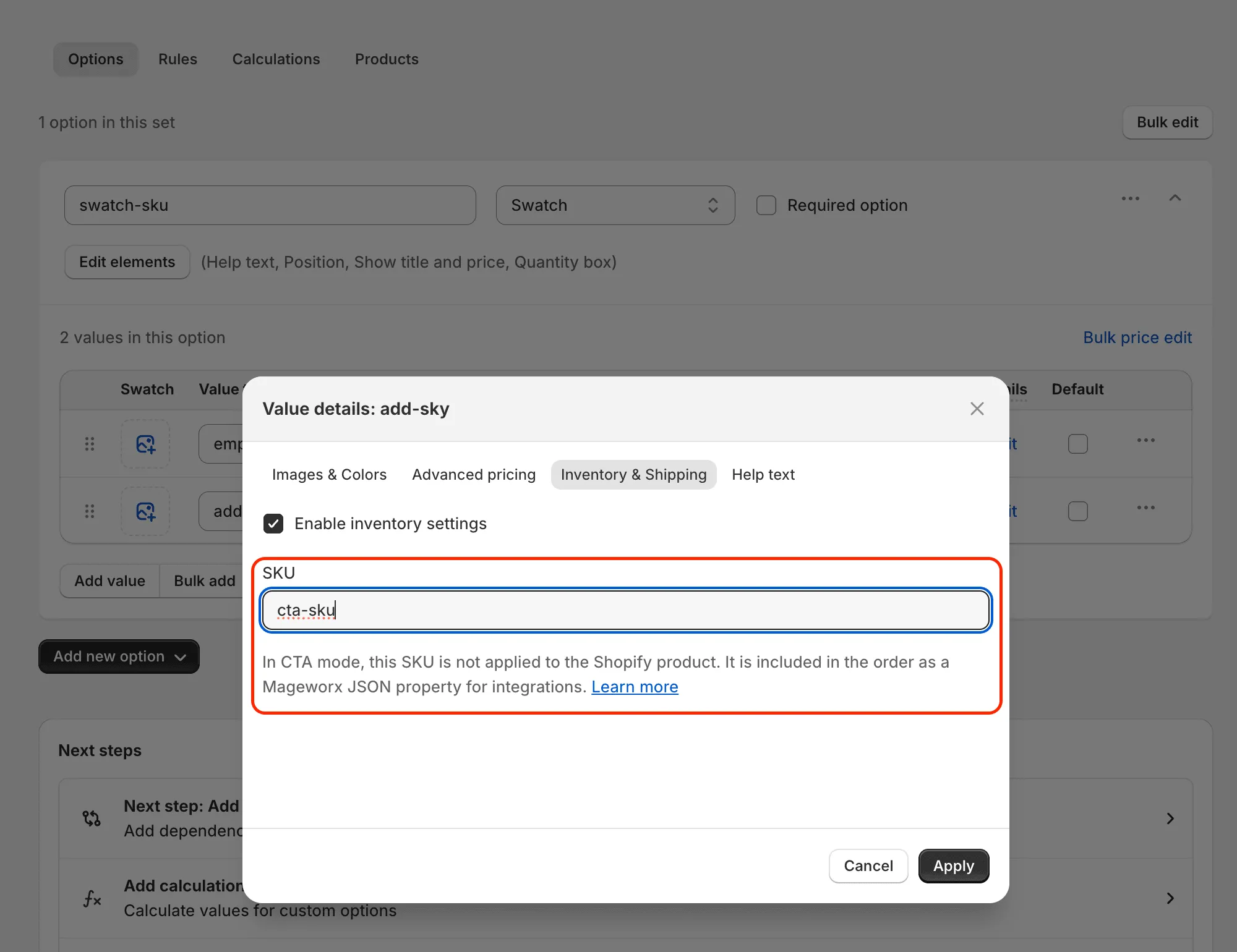
Section titled “What is APO Value SKU”APO Value SKU is defined in the admin panel:
Option set → Value → Inventory & Shipping → SKU
This value is used by APO to generate app’s SKU for integrations.
If no Value SKU is set, no app’s SKU is generated.
Where the SKU appears
Section titled “Where the SKU appears”In CTA mode, APO exposes the generated SKU as a Mageworx line item property: _mws_apo_sku
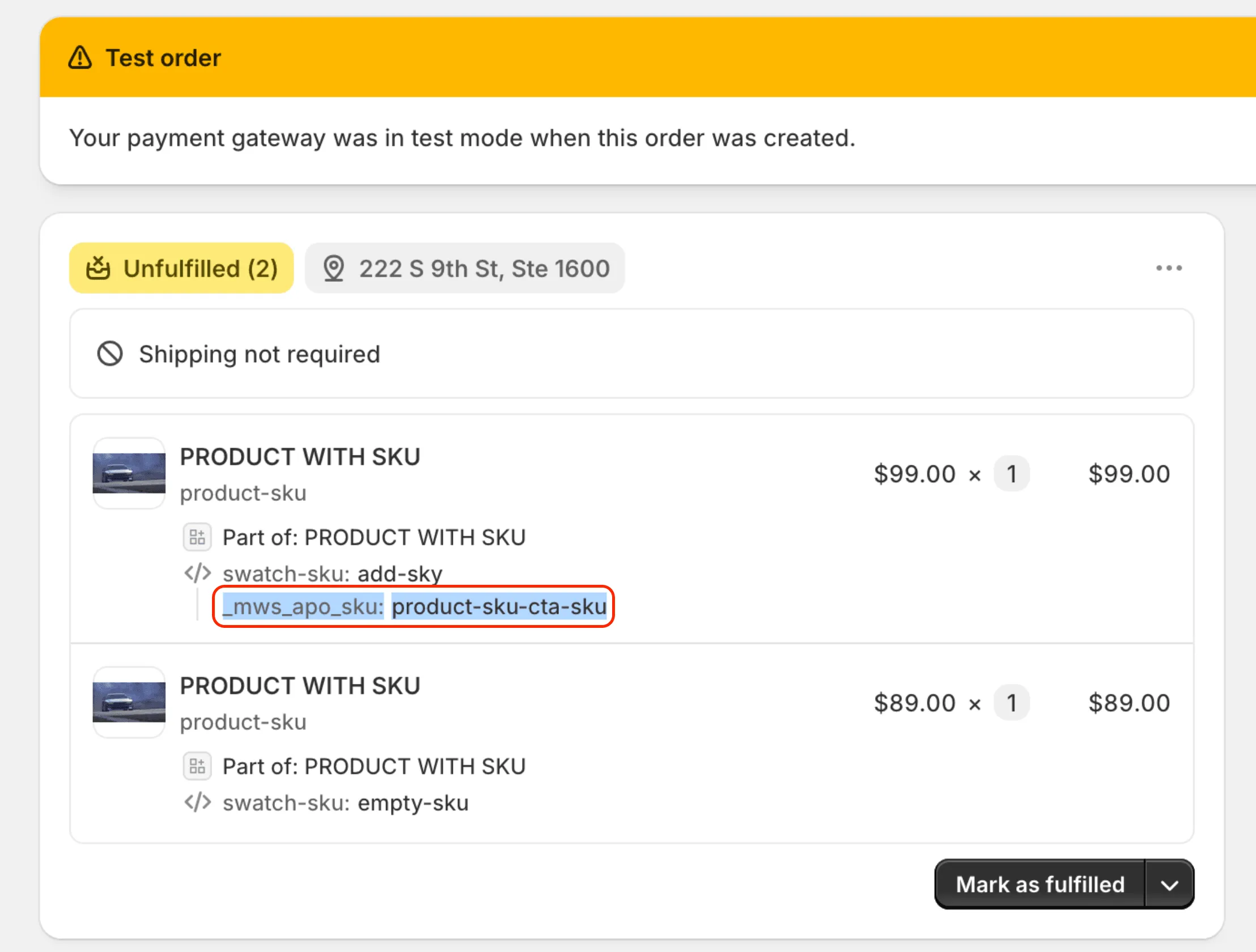
This property is available in:
-
cart data
-
final Shopify order JSON
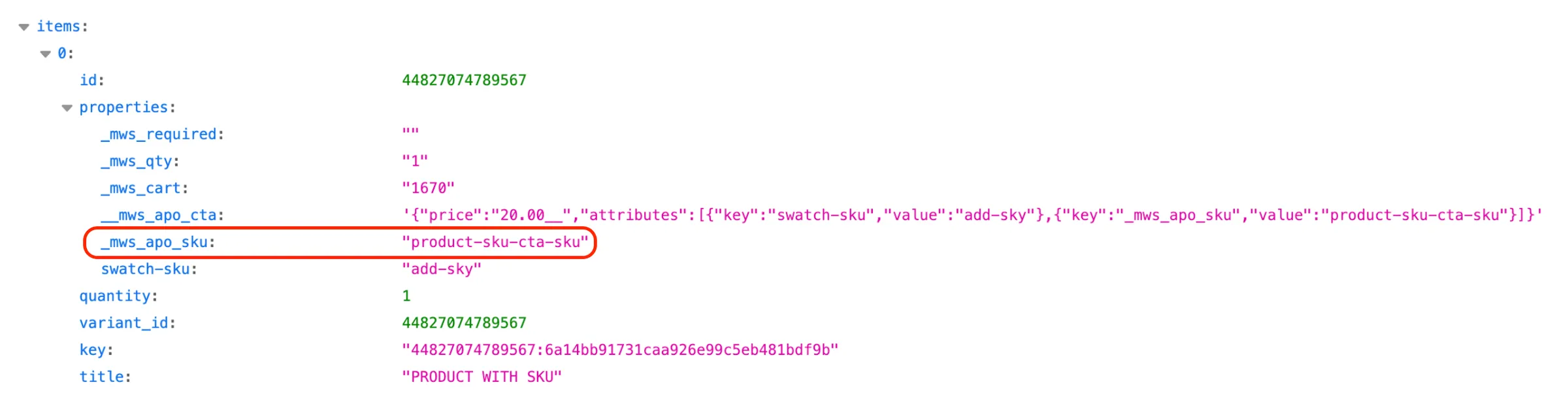
The Shopify sku field itself is not modified.
How the Mageworx SKU is generated
Section titled “How the Mageworx SKU is generated”The value of _mws_apo_sku follows the same logic as clone mode: Base product SKU + APO Value SKU
Example: 000023**-APO-SKU**
How to use this in integrations
Section titled “How to use this in integrations”For ERP systems, reporting tools, or custom integrations, use the _mws_apo_sku property as the SKU identifier in CTA mode.
This ensures consistent behavior across CTA mode and clone mode without modifying Shopify product data.
When to use CTA mode
Section titled “When to use CTA mode”CTA mode is recommended when:
- you want to avoid product cloning
- you need stable integrations
- SKU data is required in orders but Shopify SKU must remain unchanged
Summary
Section titled “Summary”- CTA mode does not change Shopify product SKU
- APO Value SKU is passed via _mws_apo_sku
- This property is the correct source for integrations
- Clone mode behavior remains unchanged