Advanced Product OptionsGetting started
Steps to integrate the app manually
Step 1
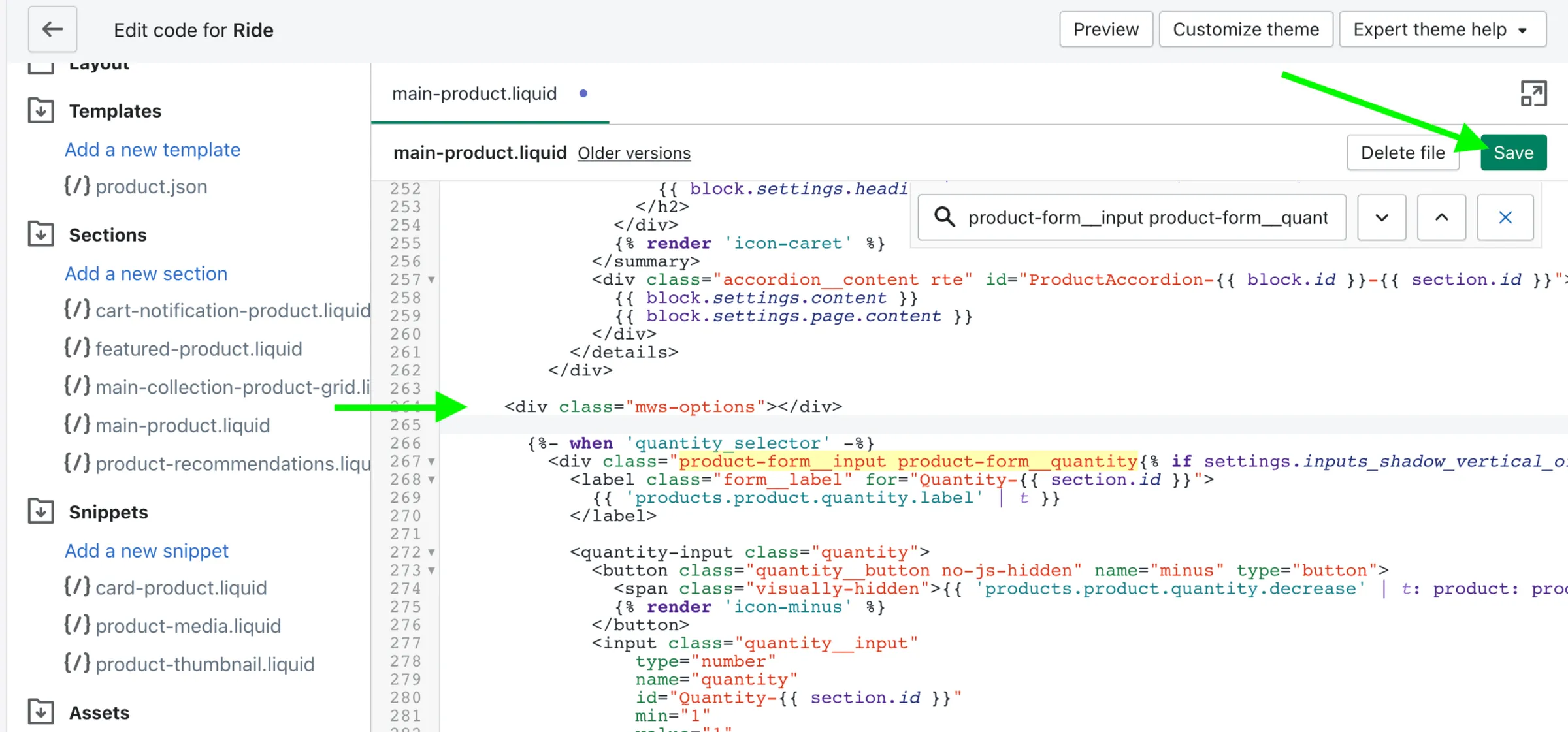
Section titled “Step 1”Open the theme product template and decide on the position for the options on a page
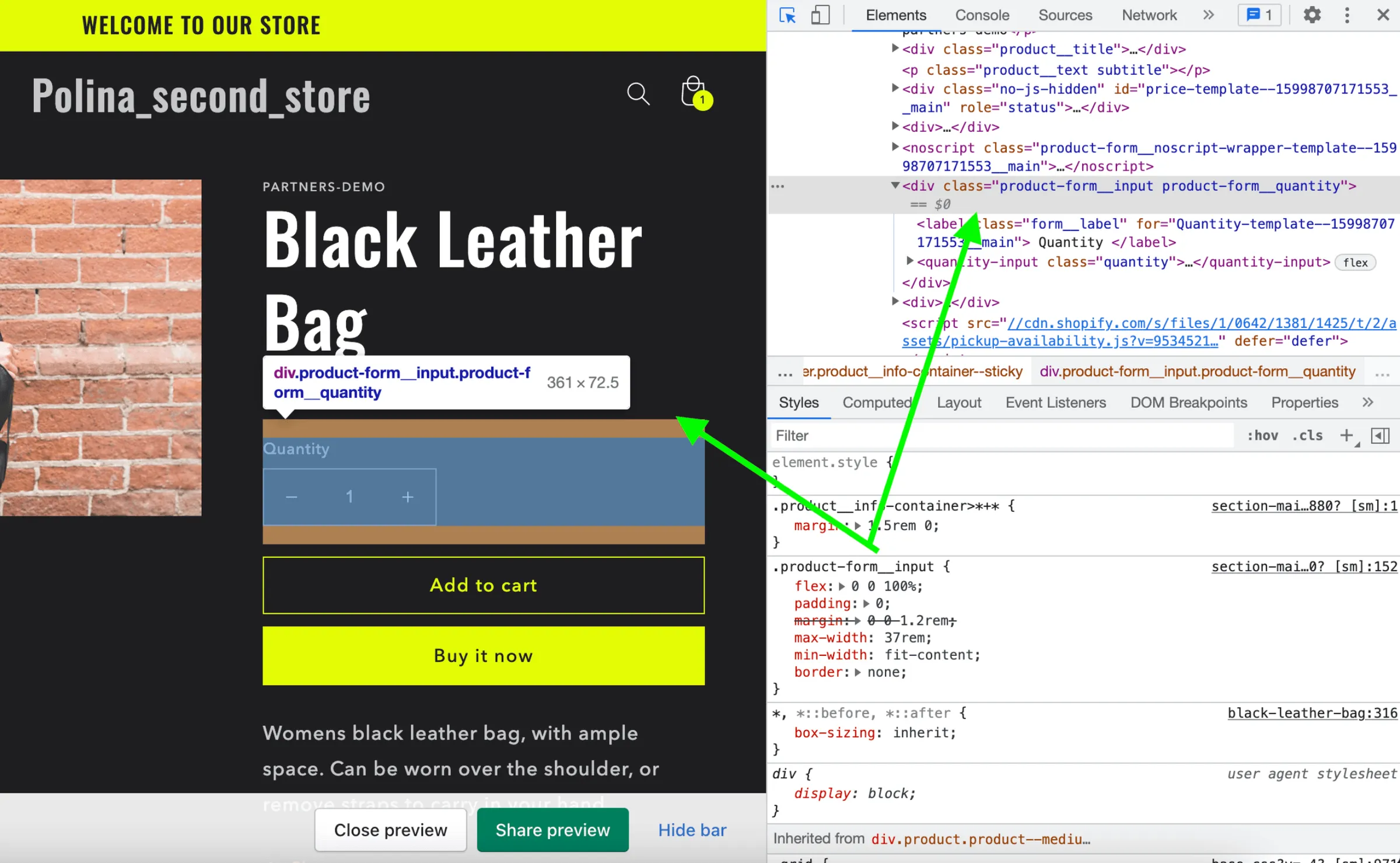
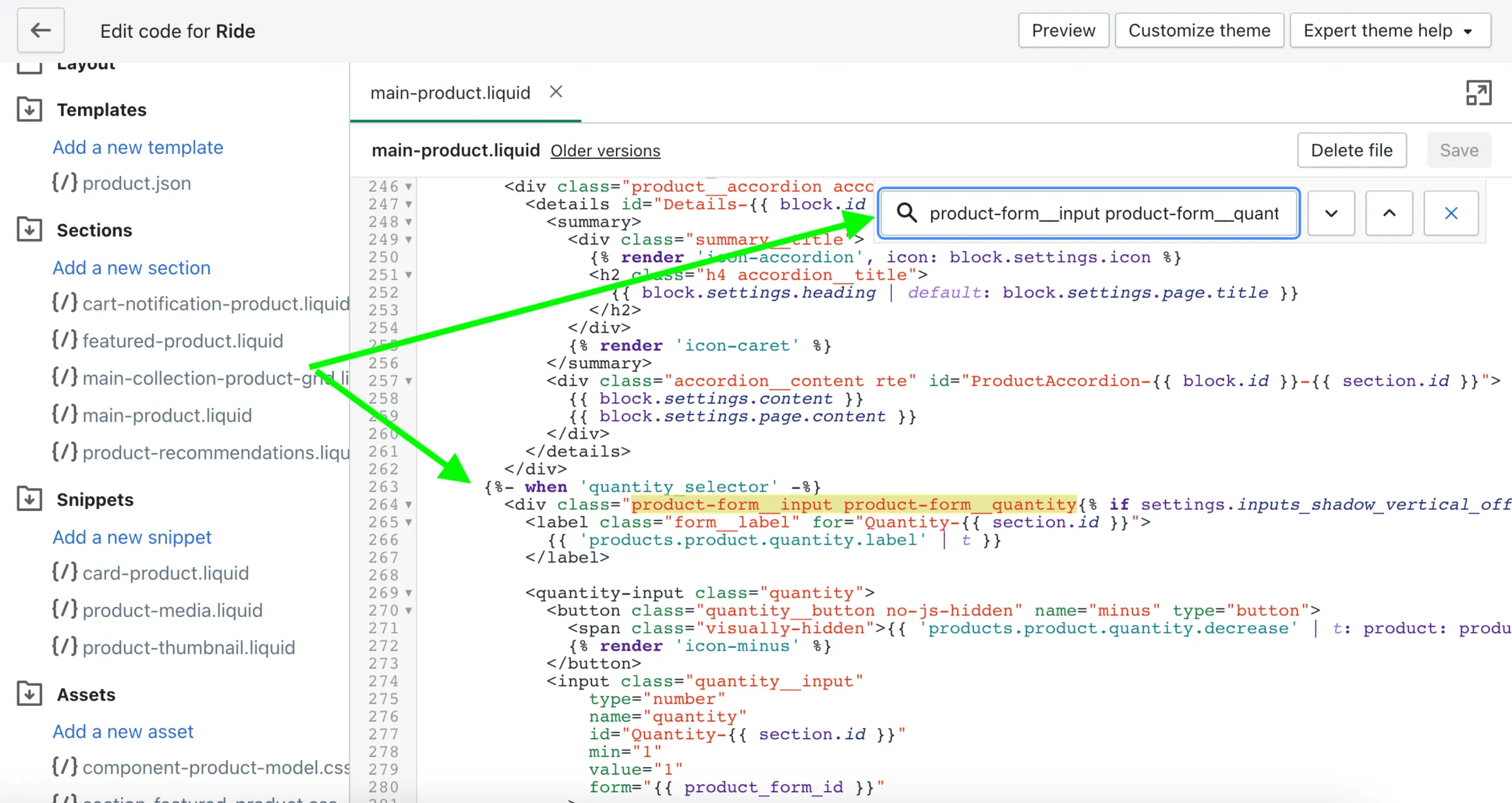
Add the following <div> code to the product template:
<div class="mws-options"></div>
Step 2
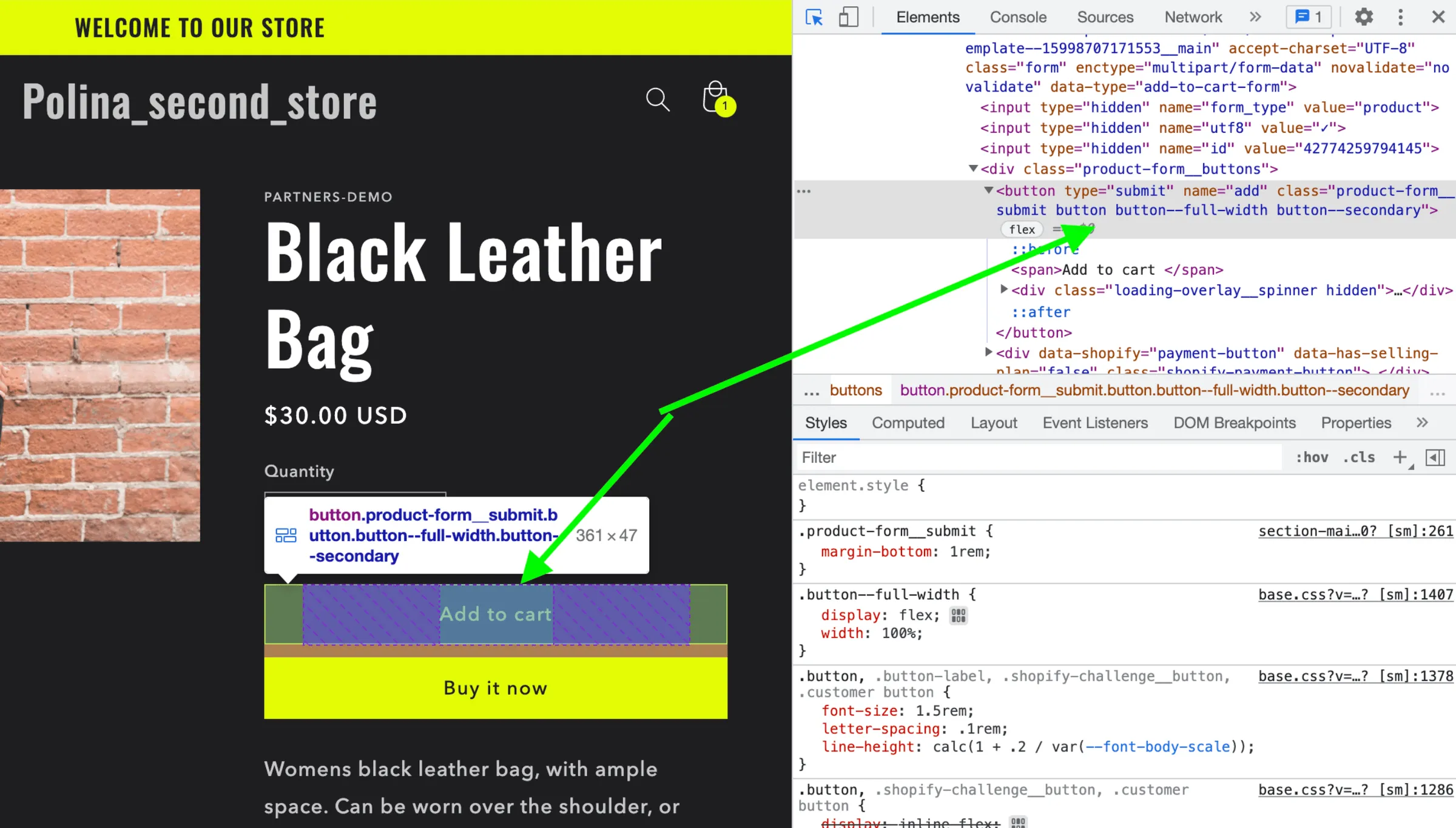
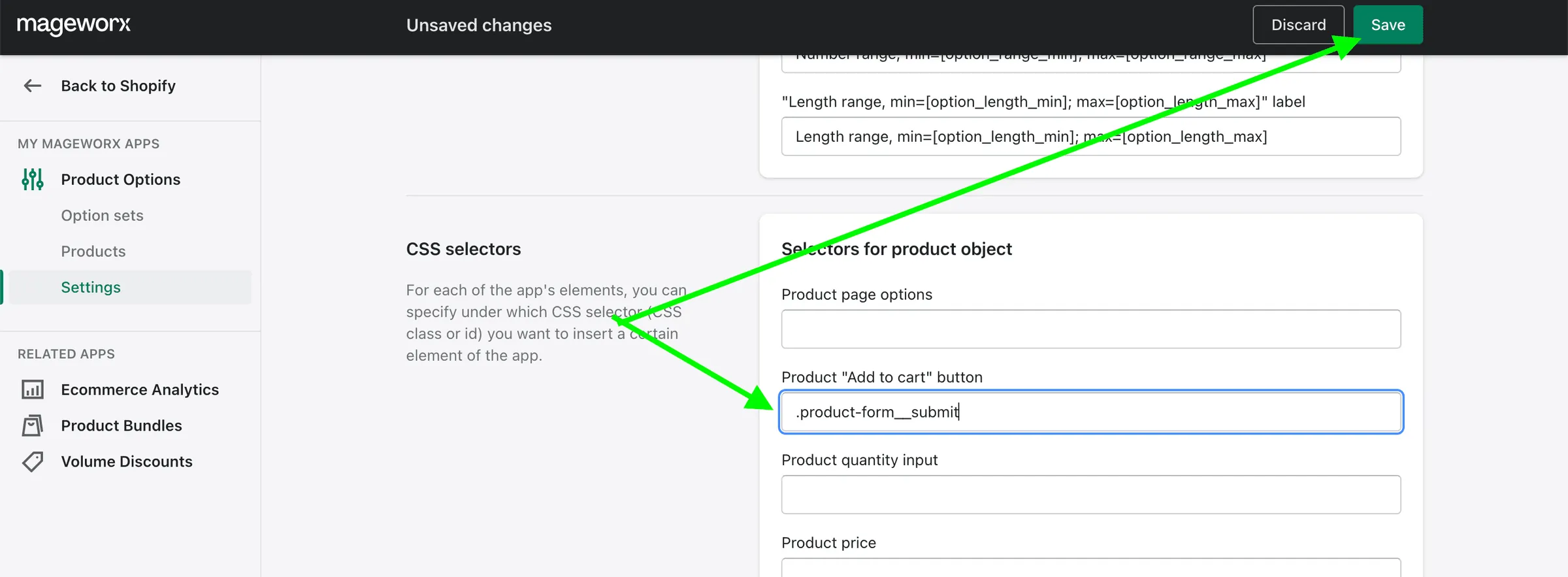
Section titled “Step 2”If the step above didn’t work, find the “Add to Cart” button selector and insert it into the corresponding field in the app Settings >> CSS selectors: