
Advanced Product OptionsUsing the app
Custom product sharing
Custom product sharing allows customers and store staff to share a configured product using a unique link. When the link is opened, APO automatically restores the selected option values so the recipient sees the same configuration.
Availability
Section titled “Availability”Available on the Growth plan
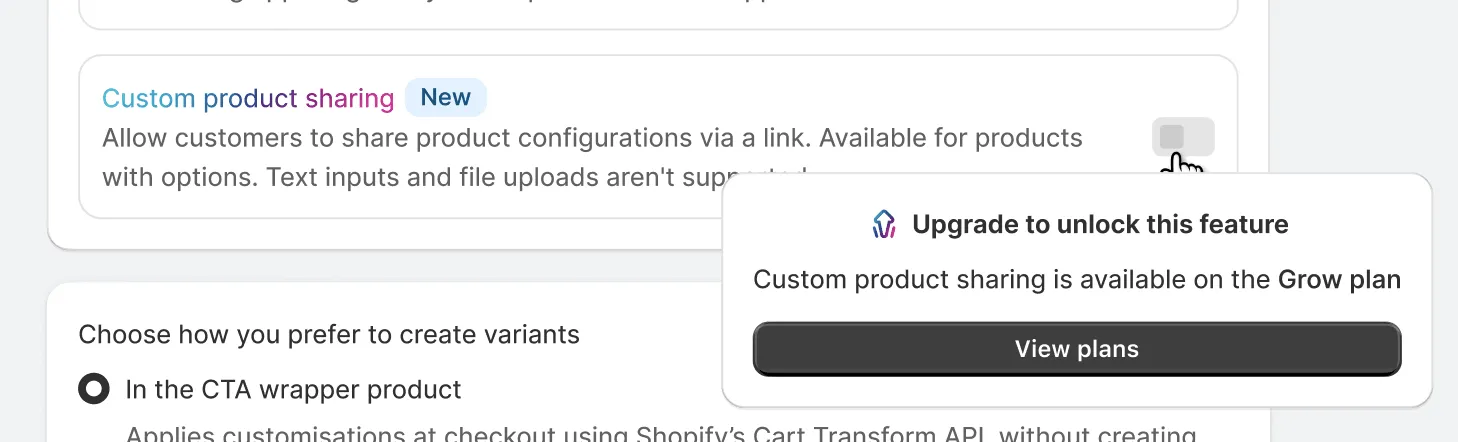
How to enable
Section titled “How to enable”-
Open APO → Settings
-
Find Custom product sharing
-
Enable the toggle
-
(Optional) Customize:
- Default link text
- Default text color
- Success message text
- Success message color
Supported option types
Section titled “Supported option types”Custom product sharing supports all select-based option types, including:
Single-select options
- Swatch
- Swatch in pill
- Swatch card
- Swatch in dropdown
- Wide image card
- Button
- Tile
- Dropdown
- Radio button
Multi-select options
- Multi-select swatch
- Multi-select swatch in pill
- Multi-select swatch card
- Multi-select wide image card
- Multi-select button
- Multi-select tile
- Checkbox
Only selected values from these option types are included in the shared link.
Limitations
Section titled “Limitations”Common use cases
Section titled “Common use cases”Customer support
Section titled “Customer support”Support agents can configure a product for a customer and send a ready-to-review link.
Collaborative purchasing
Section titled “Collaborative purchasing”Customers can share configured products with:
- Colleagues
- Managers
- Family members
- Purchasing teams
before placing an order.
Sales consultations
Section titled “Sales consultations”Sales teams can prepare recommended configurations and send them directly to customers.