
Advanced Product OptionsUsing the app
Case 3.1: Back up selected option sets
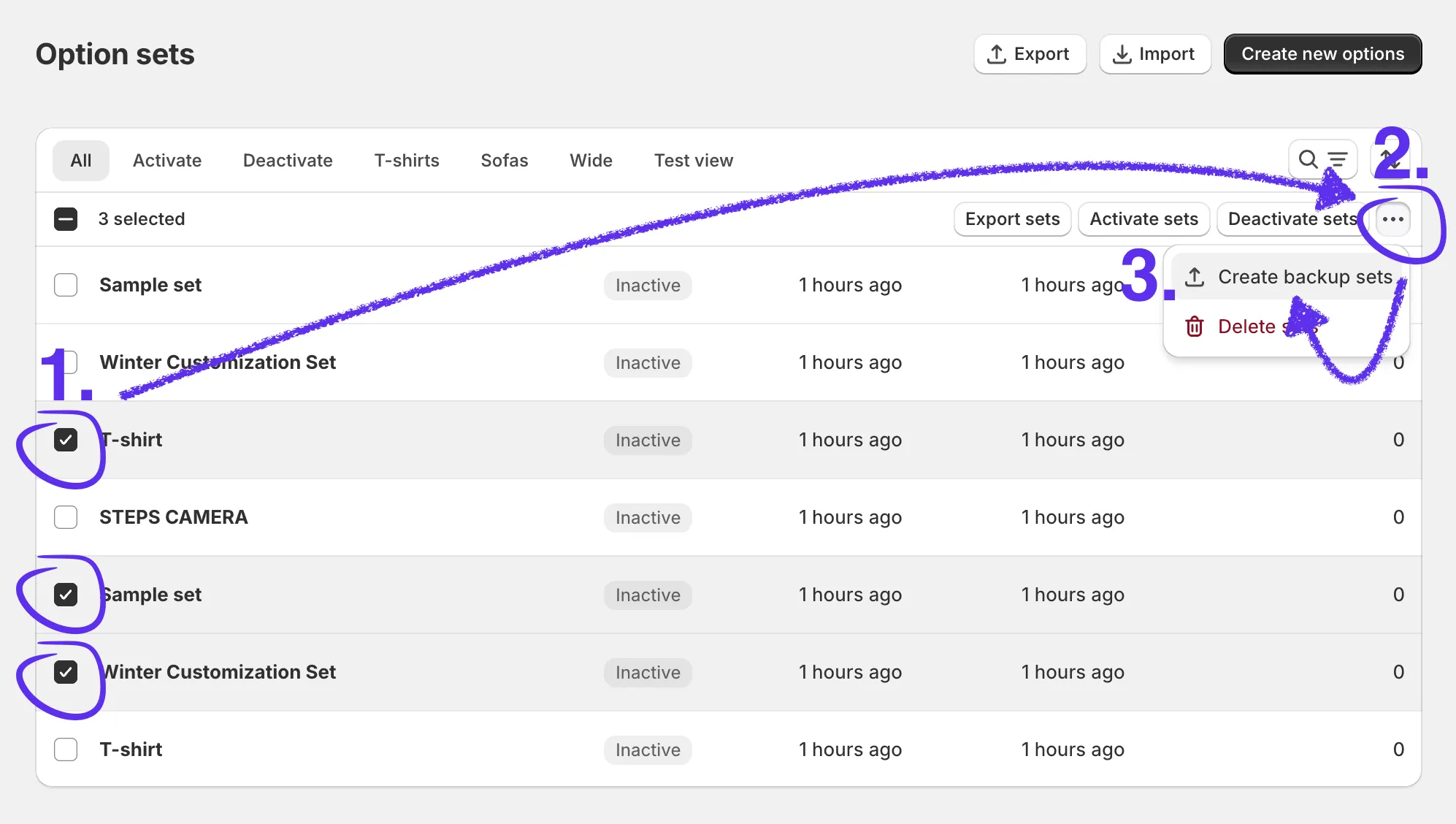
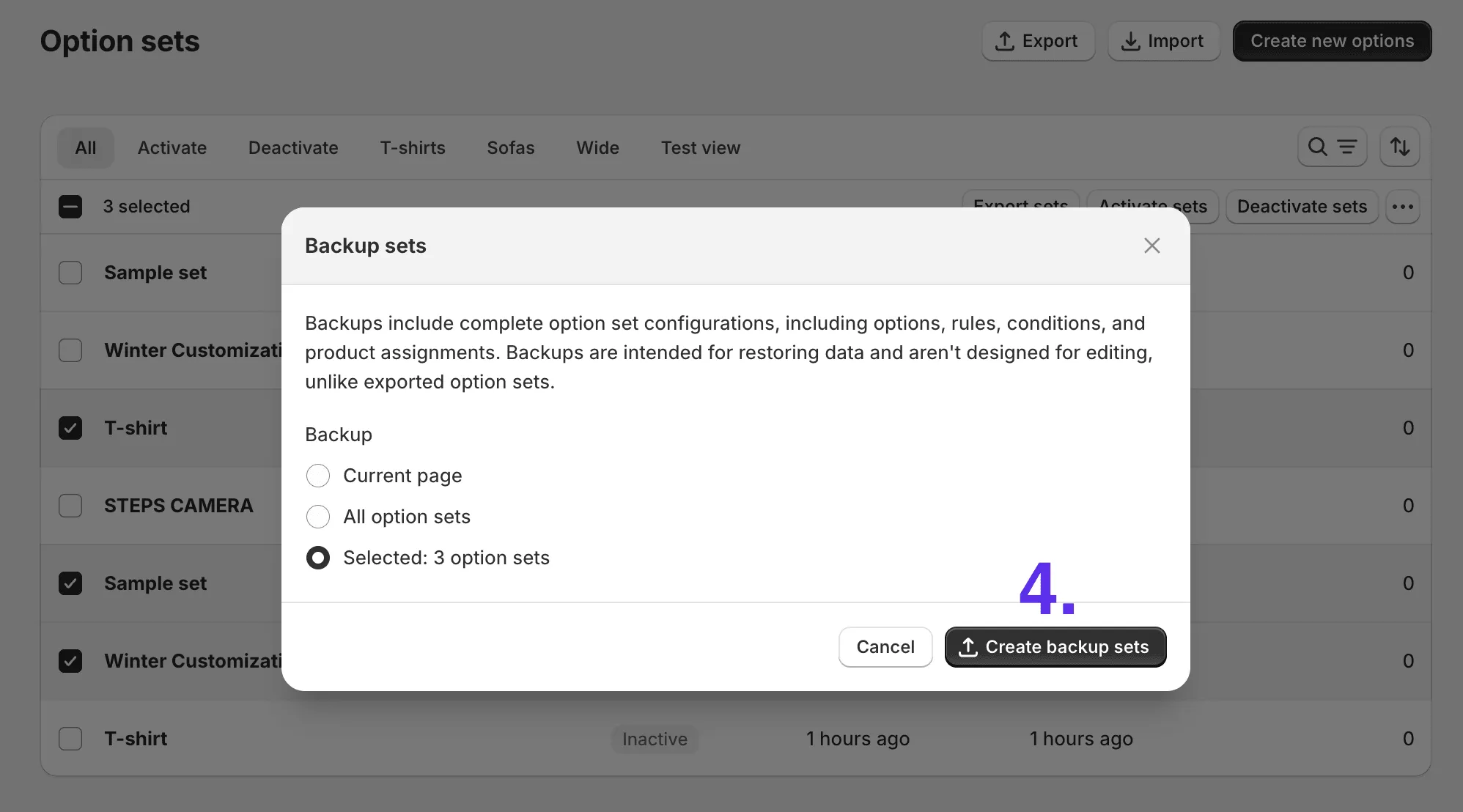
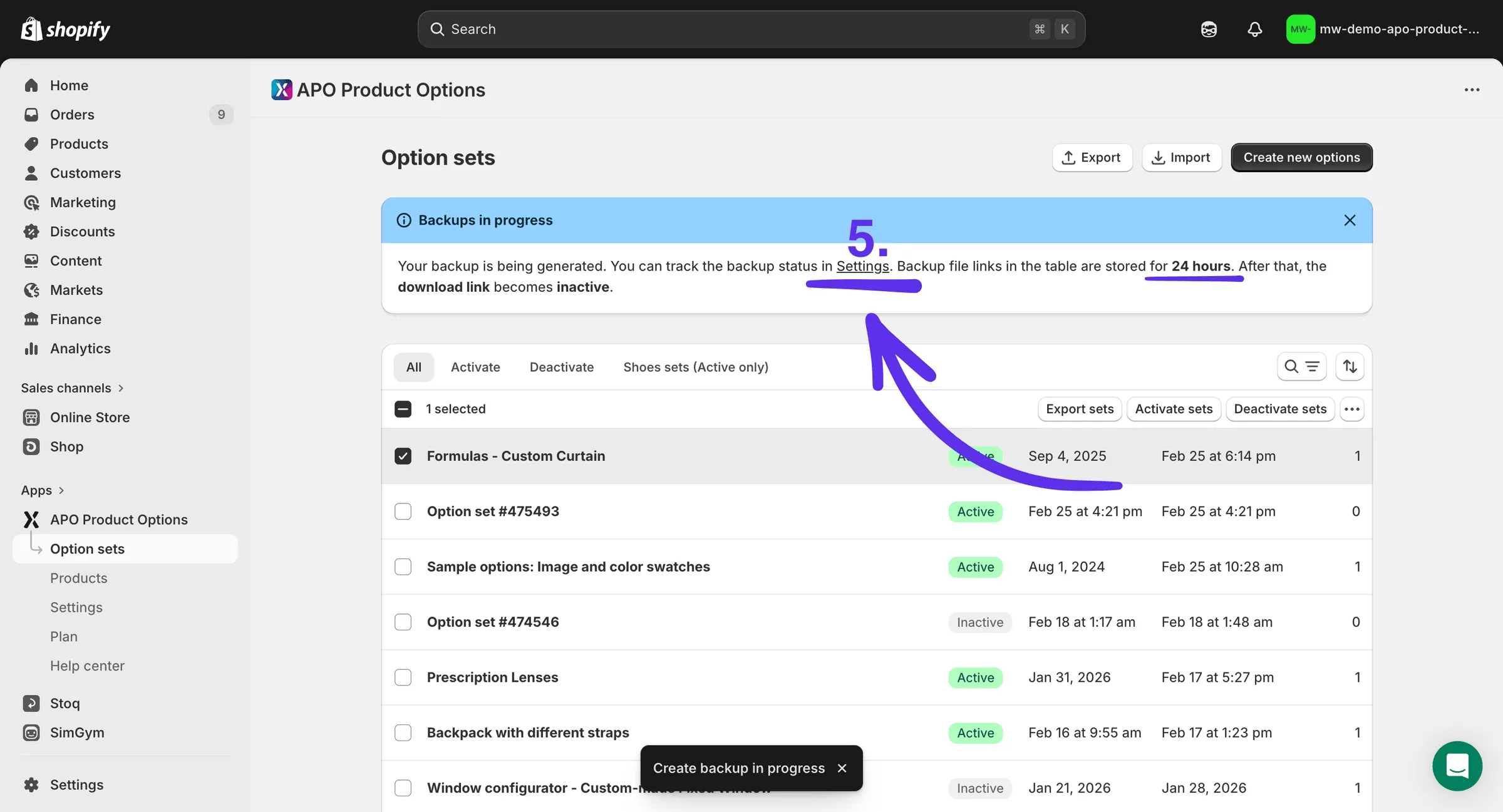
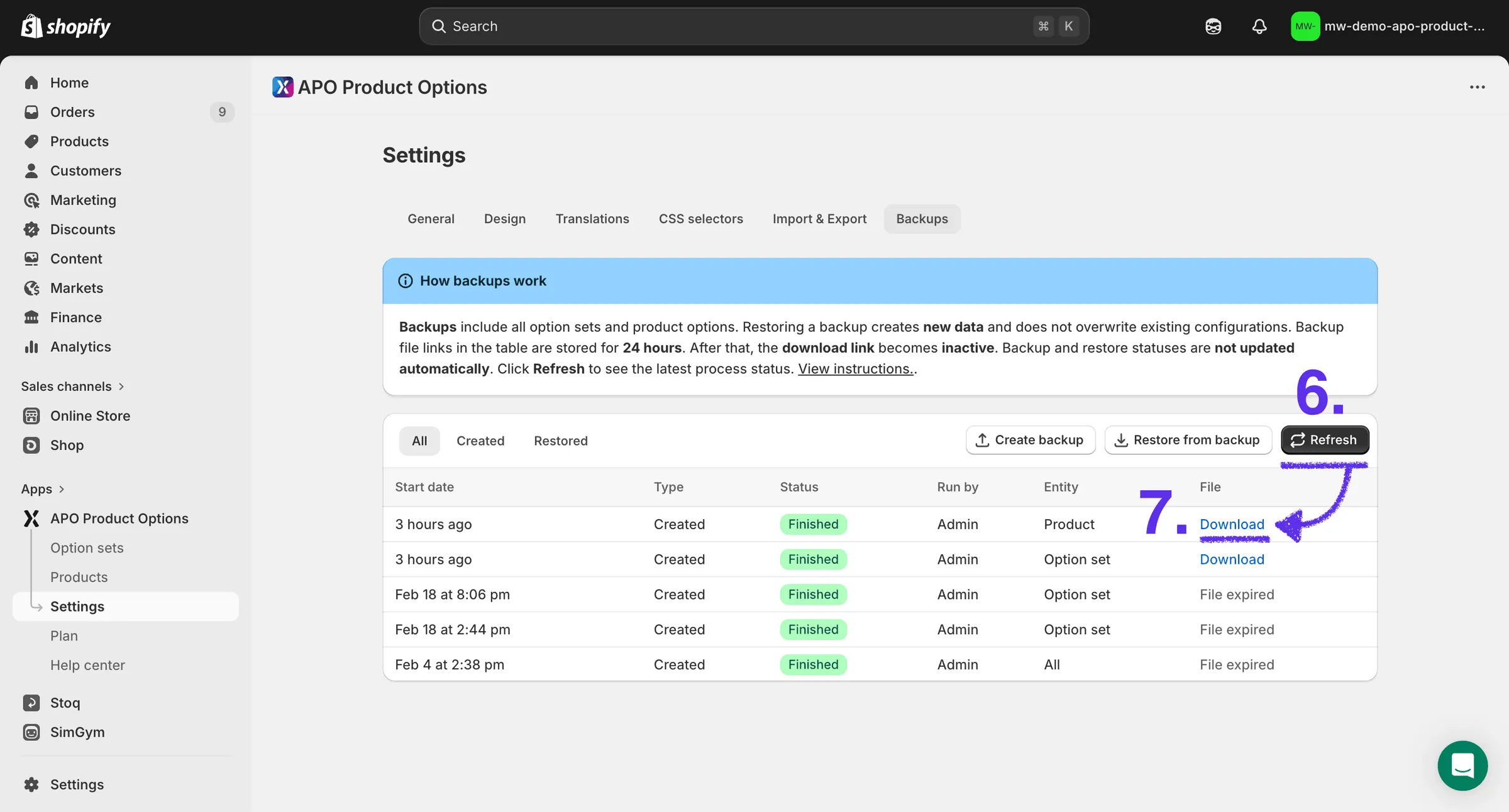
Select the option sets, open the actions menu, and create a backup for the selected sets only.
Advanced Product OptionsUsing the app
Select the option sets, open the actions menu, and create a backup for the selected sets only.