
Advanced Product OptionsUsing the app
Multiple file upload
Multiple file upload allows customers to upload multiple files within a single option instead of creating separate upload fields. Merchants can control the number of files, allowed file types, and pricing behavior. This feature is available on the Growth plan.
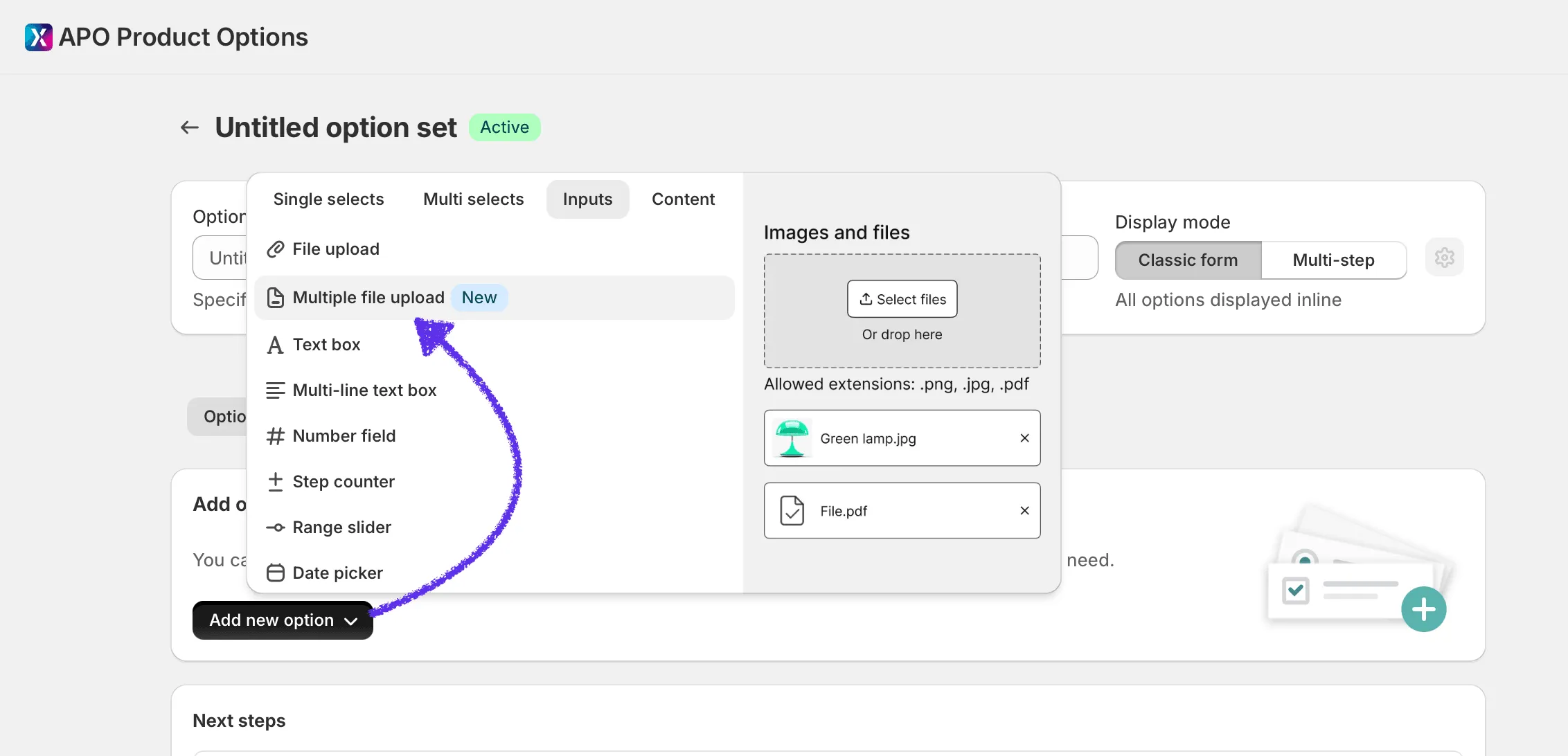
How to create a Multiple file upload option
Section titled “How to create a Multiple file upload option”- Open an Option Set
- Click Add new option
- Open the Inputs tab
- Select Multiple file upload
Example:
Available settings
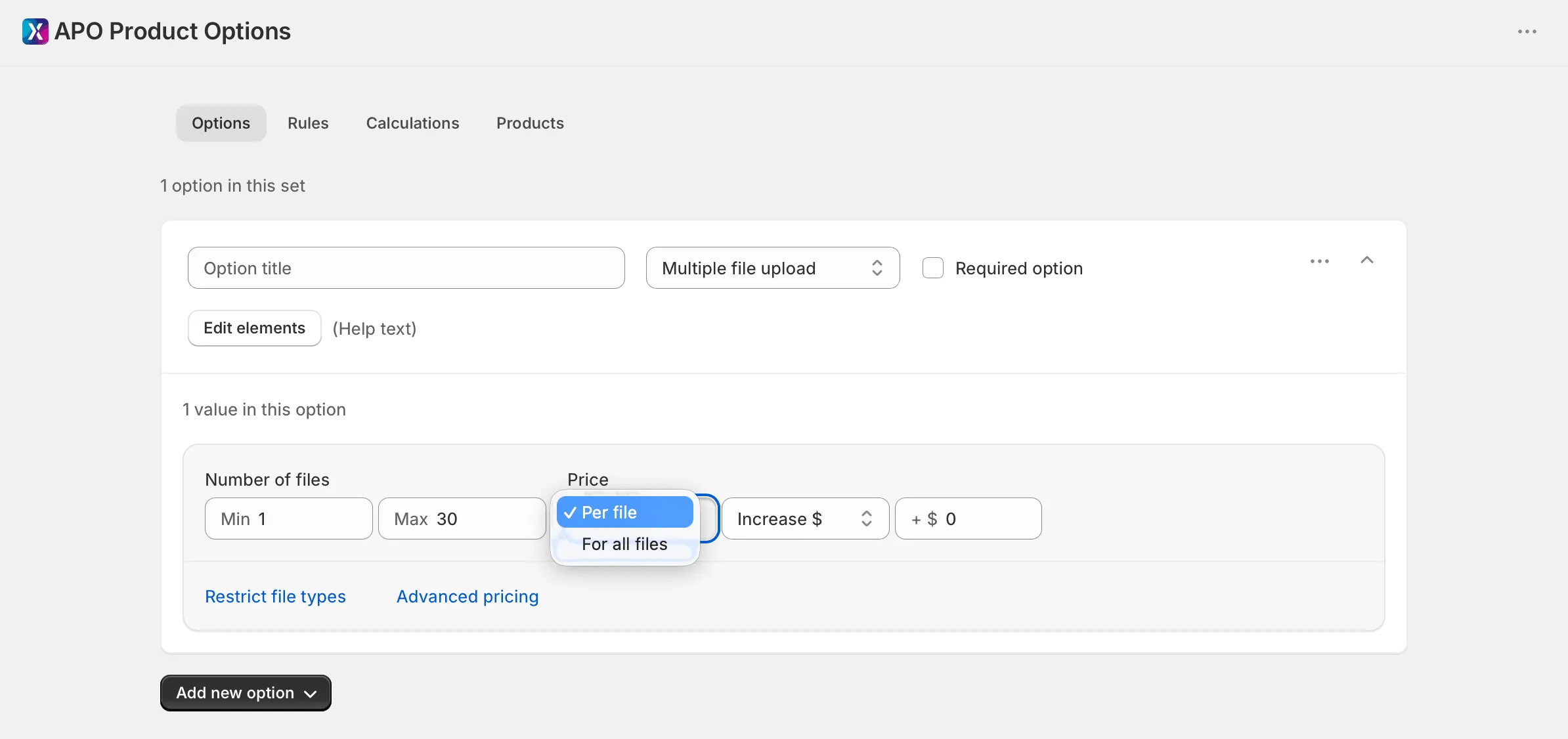
Section titled “Available settings”Number of files
Section titled “Number of files”Control how many files customers can upload.
-
Min: minimum required number of files
-
Max: maximum allowed number of files
-
Allowed range: 1–30 files
-
Default values:
- Min = 1
- Max = 30
Example:
Pricing modes
Section titled “Pricing modes”Multiple file upload supports two pricing methods:
Per file
Section titled “Per file”The price is applied to every uploaded file.
Example:
- Price adjustment: +$5
- Uploaded files: 3
Result:
3 × $5 = $15
For all files
Section titled “For all files”The price is applied once regardless of the number of uploaded files.
Example:
- Price adjustment: +$5
- Uploaded files: 3
Result:
$5 total
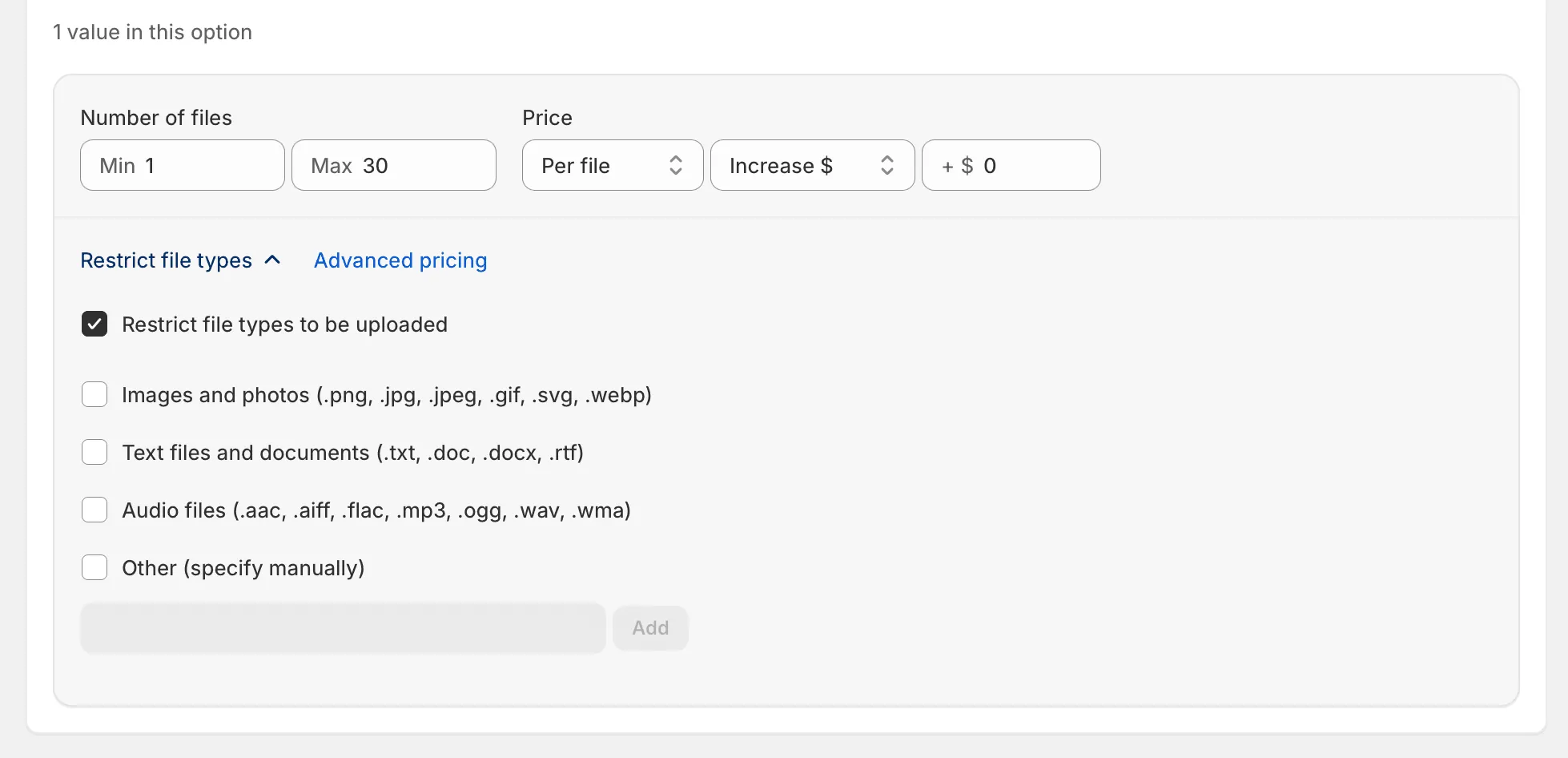
Restrict file types
Section titled “Restrict file types”Use Restrict file types to limit which file formats customers can upload.
Supported extensions are displayed below the upload area on the storefront as:
Storefront behavior
Section titled “Storefront behavior”Customers can:
- Drag and drop files
- Use the Select files button
- Upload multiple files into a single option
- See uploaded files in a list
- Remove uploaded files individually
For each uploaded file APO displays:
- Image preview (for images)
- File icon (for non-image files)
- File name
- Remove button
How many files can customers upload?
Section titled “How many files can customers upload?”Up to 30 files per option.
Can I charge for every uploaded file?
Section titled “Can I charge for every uploaded file?”Yes. Use the Per file pricing mode.
Can I charge a single fee regardless of file count?
Section titled “Can I charge a single fee regardless of file count?”Yes. Use the For all files pricing mode.
Can I restrict file formats?
Section titled “Can I restrict file formats?”Yes. Use Restrict file types to allow only specific file extensions.
Is Multiple file upload available on all plans?
Section titled “Is Multiple file upload available on all plans?”No. Multiple file upload is available only on the Growth plan.